allgood.previewonline.website is an online retail destination offering a diverse range of products across multiple categories, designed to deliver quality goods and a convenient shopping experience to customers worldwide. The platform functions as a comprehensive e-commerce marketplace, featuring everything from fashion and electronics to home essentials and beauty products.
At the heart of allgood.previewonline.website’s appeal is its vast product catalog. Shoppers can browse and purchase items across categories including:
Beauty & Personal Care – skincare, makeup, fragrances and more
Electronics – mobile phones, cameras, accessories, headphones
Fashion & Apparel – clothing, footwear, bags, watches
Home & Furniture – kitchenware, lighting, décor
and many additional segments tailored to daily needs.
This broad selection makes the site a versatile choice for users who want to shop for multiple types of products in one place.
allgood.previewonline.website features special promotions and discounts, including limited-time deals, seasonal offers, and cashback opportunities for new customers. These incentives are clearly highlighted throughout the site, helping shoppers save money while exploring popular and trending products.
The platform emphasizes a smooth and user-friendly experience by providing:
Free shipping on orders with transparent delivery terms
24/7 customer support services to assist with inquiries and issues
Order tracking and account management tools for better visibility on purchases
Easy product search and categorization to quickly find items of interest
These features aim to make shopping on allgood.previewonline.website both efficient and enjoyable, even for first-time online buyers.
Website URL : https://allgood.previewonline.website/
URL : https://allgood.previewonline.website/mcorp-administrator/
User Name: admin
Password: admin@8488#1418
URL : https://allgood.previewonline.website/seller-login/
User Name: vendor8989@yopmail.com
Password: Admin@1234
URL : https://allgood.previewonline.website/my-account/
User Name: john8989@yopmail.com
Password: Admin@1234
This module indicates the process for each dynamic page within the content management system, allowing for changes to pictures and icons according to the layout output.
URL : https://allgood.previewonline.website/wp-admin/edit.php?post_type=page
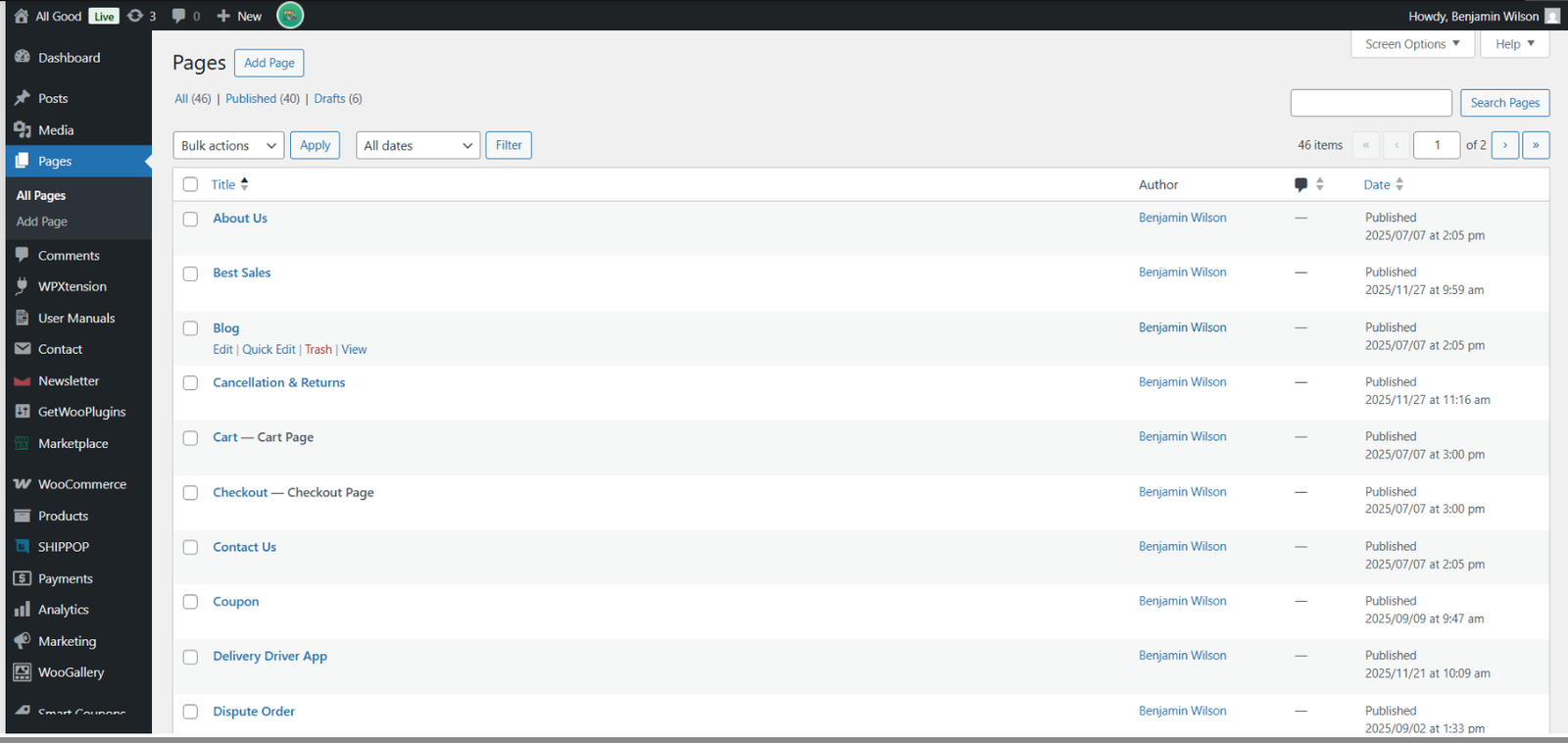
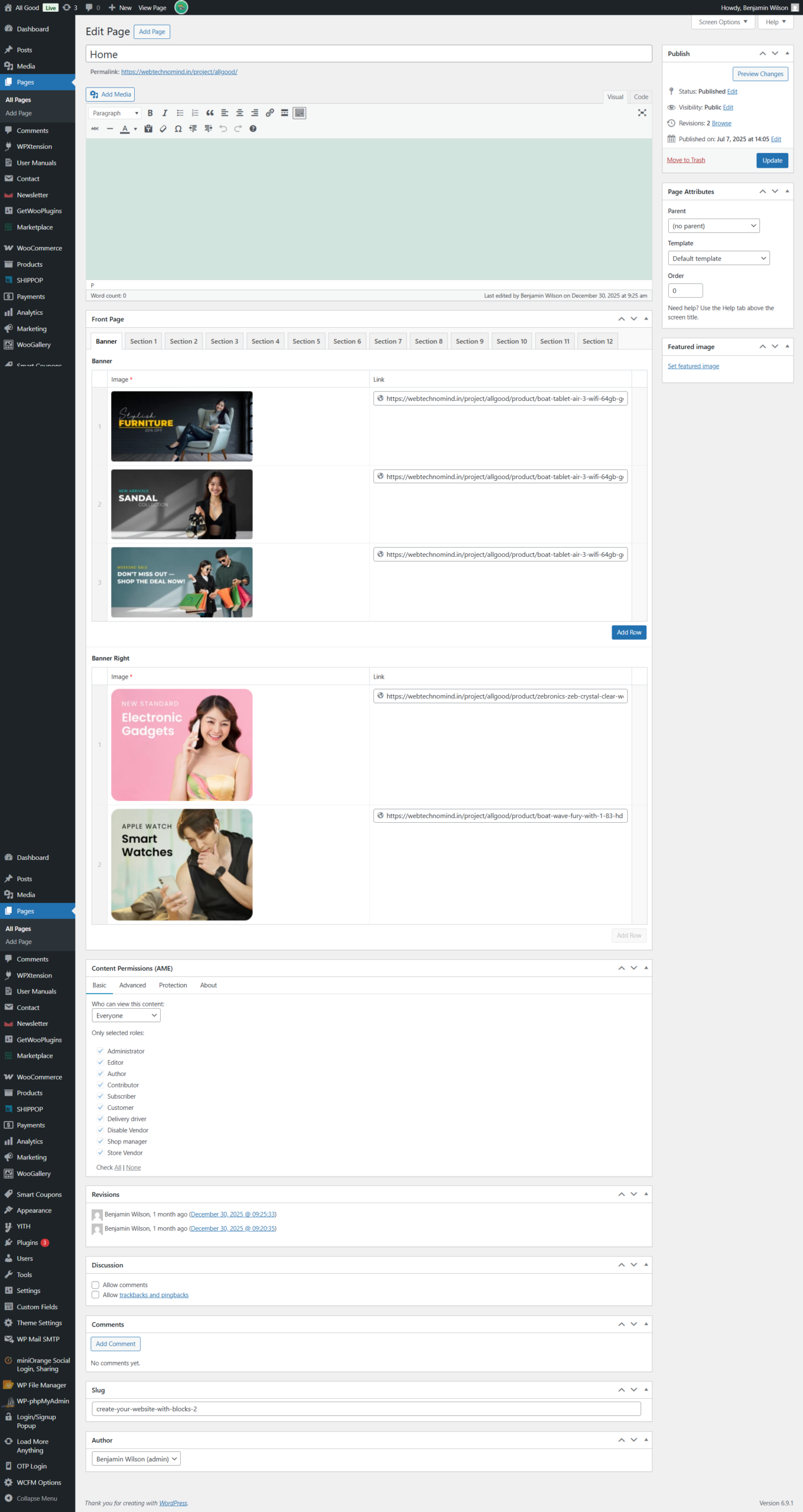
All Good is an online retail store offering a wide range of products from fashion and electronics to home goods. Its public shopping interface includes browsing categories, cart, user login, seller options, and order tracking.
Behind the scenes, the admin portal is what allows site administrators — and potentially marketplace sellers — to manage the entire online store efficiently. Here’s an overview of key admin user modules you’d typically find in such a system:-
This module controls all user accounts:
View and manage customers — see user details, order history, and account status.
Search, filter & segment users — for marketing or support follow-ups.
Permissions & roles — define admin vs. staff access levels.
Tools here improve support and ensure a secure user database.
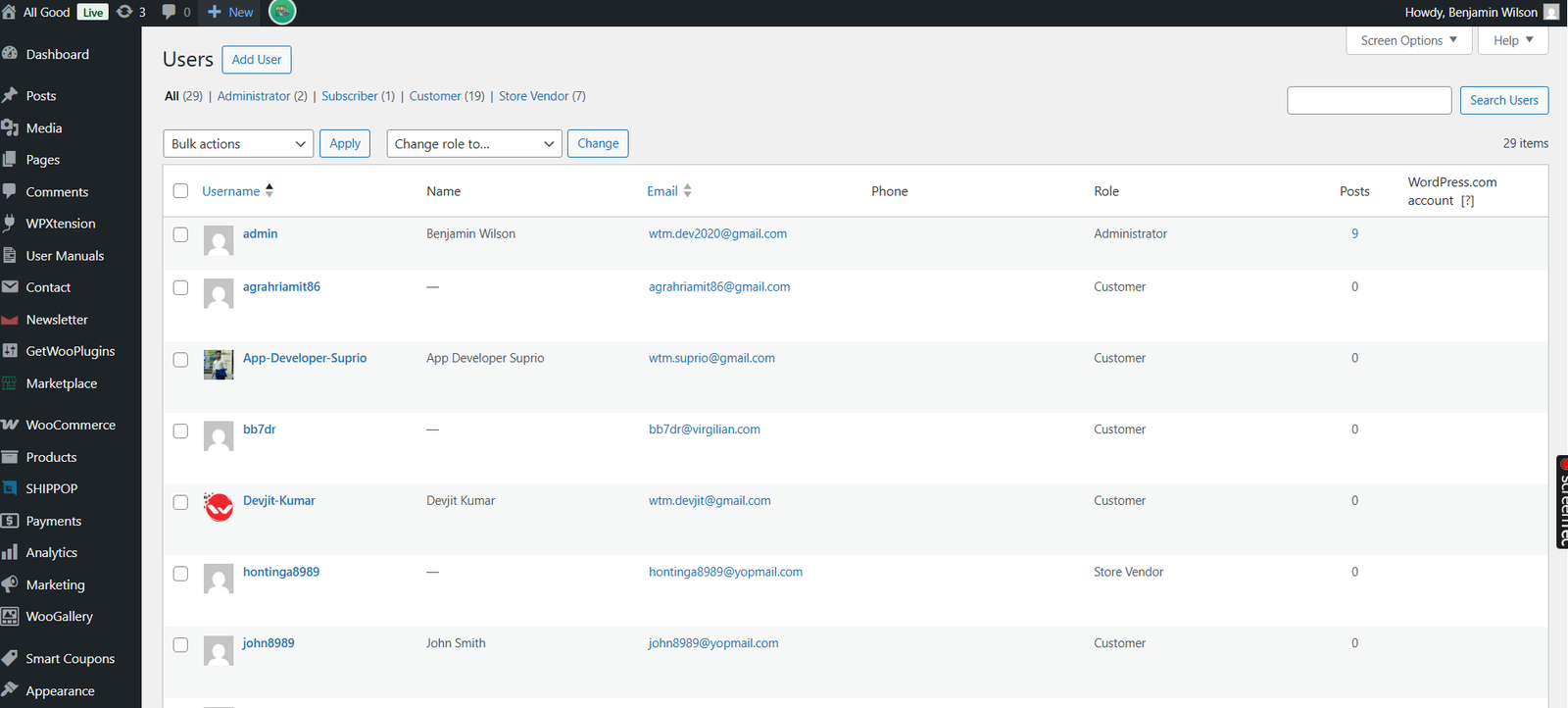
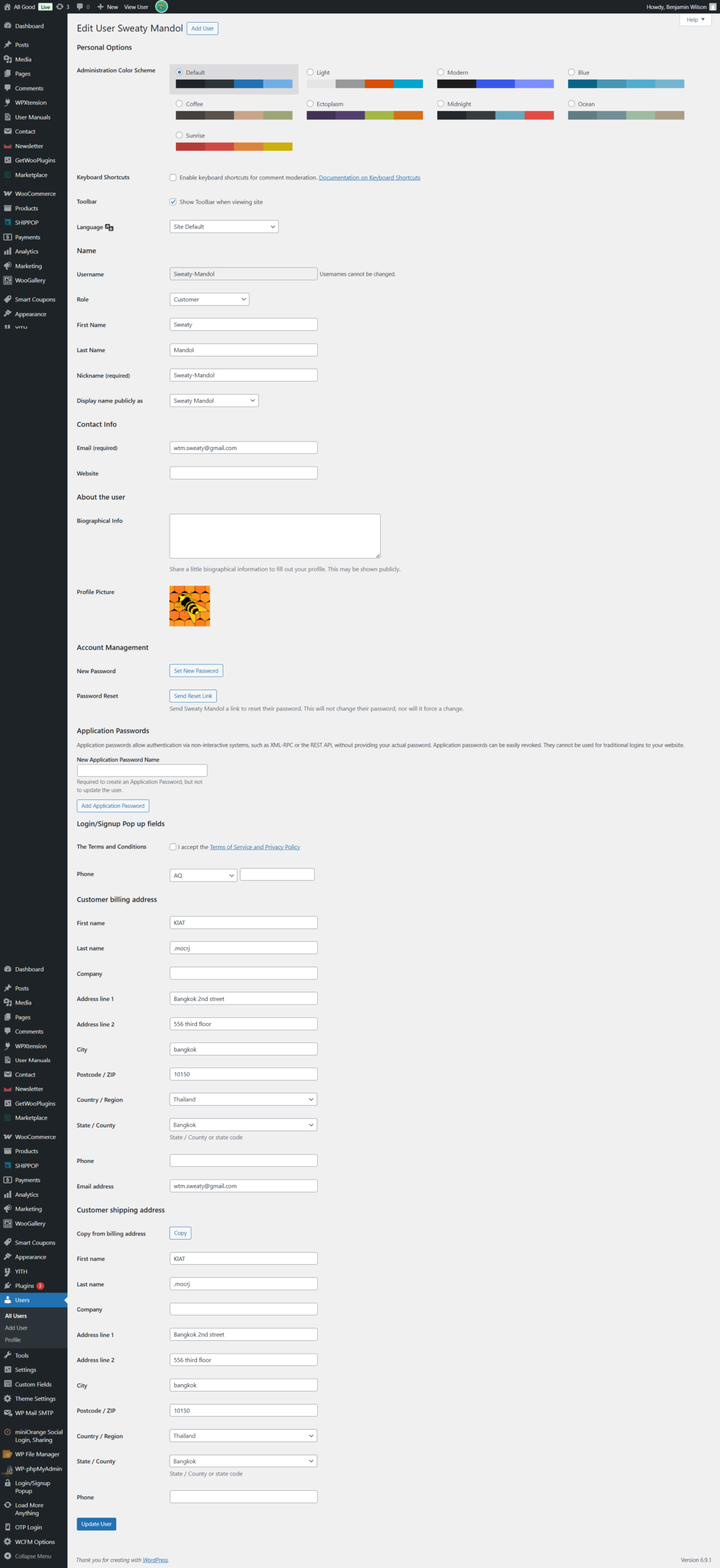
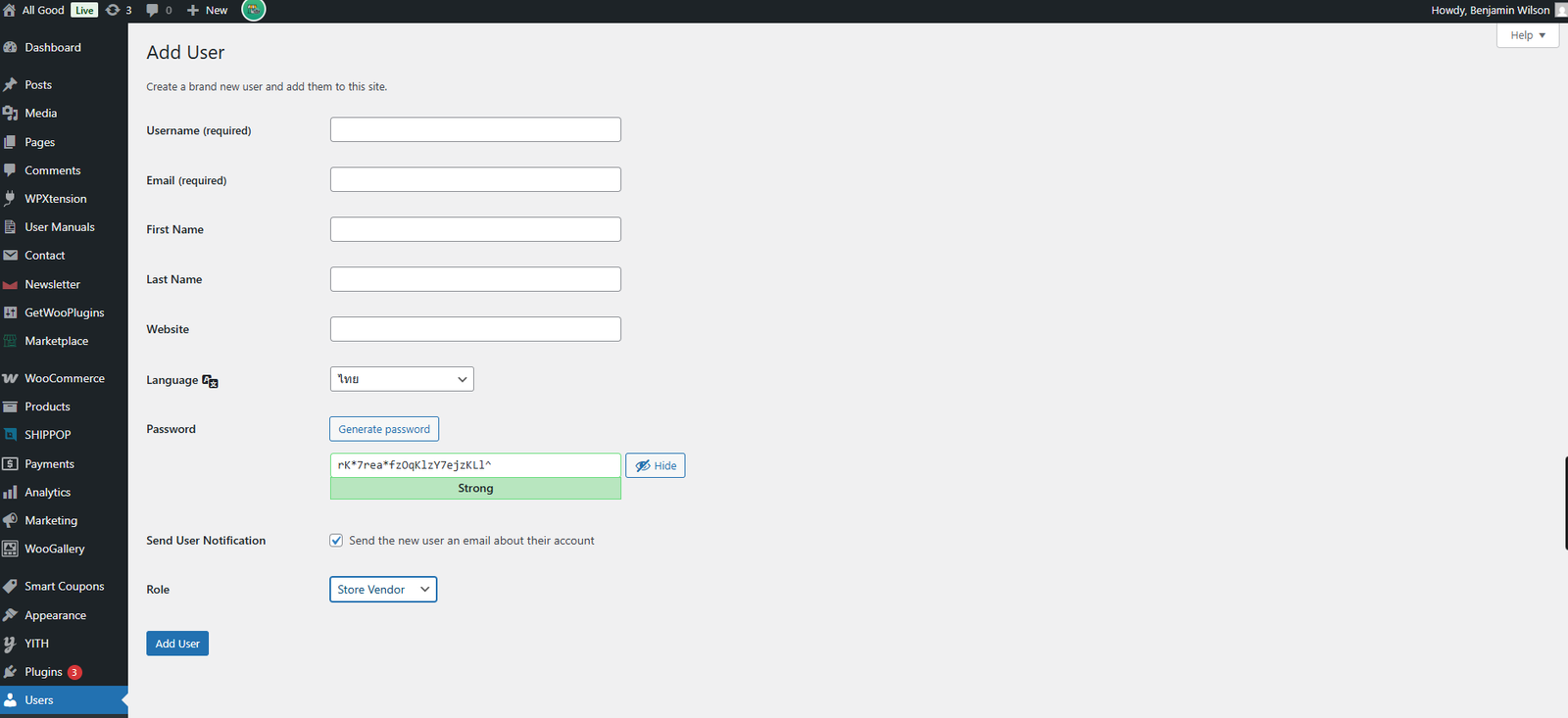
Click on the Store Vendors button from the left menu bar. Follow the steps and create unlimited vendors as per your requirement.
URL: https://allgood.previewonline.website/wp-admin/user-new.php
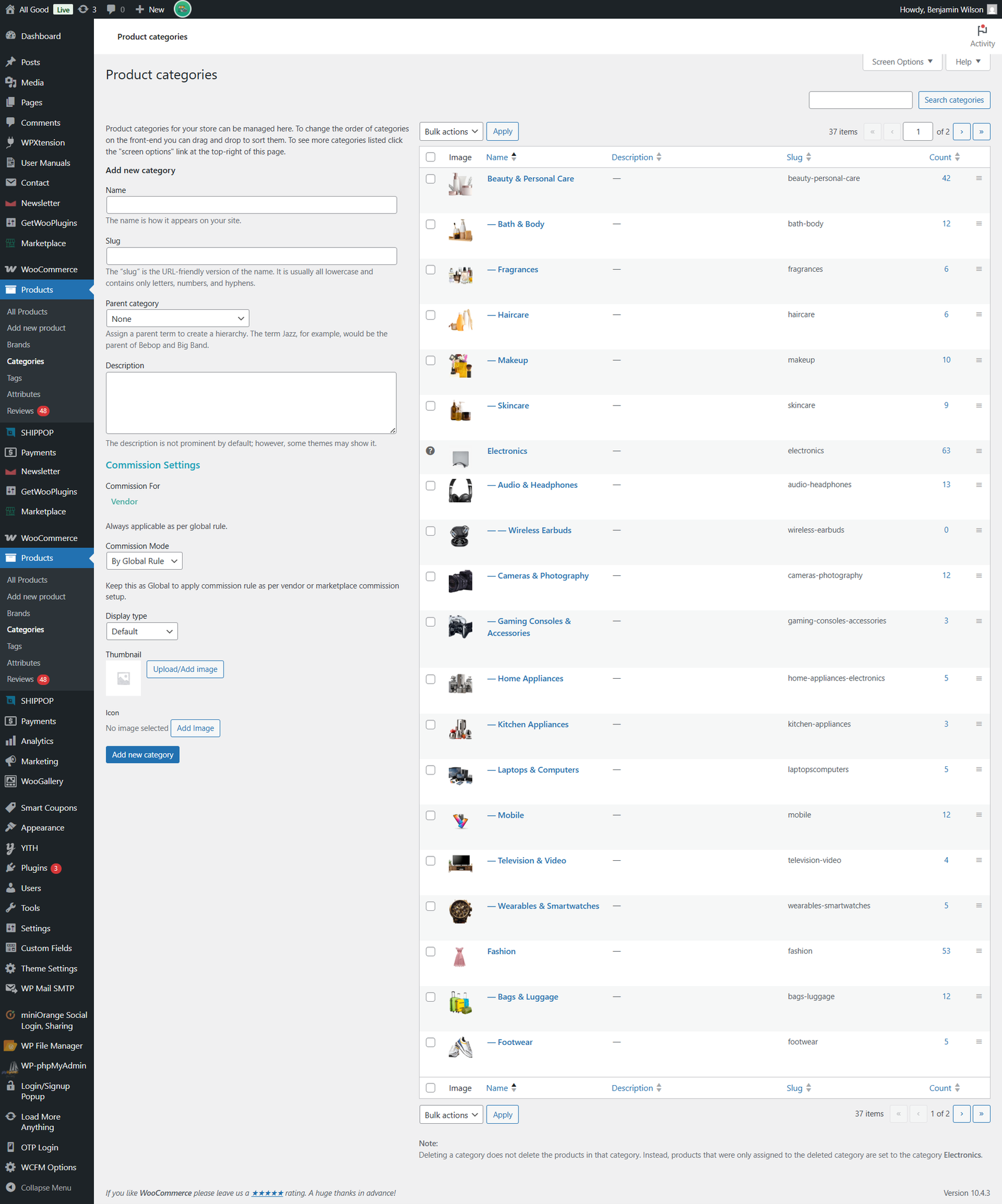
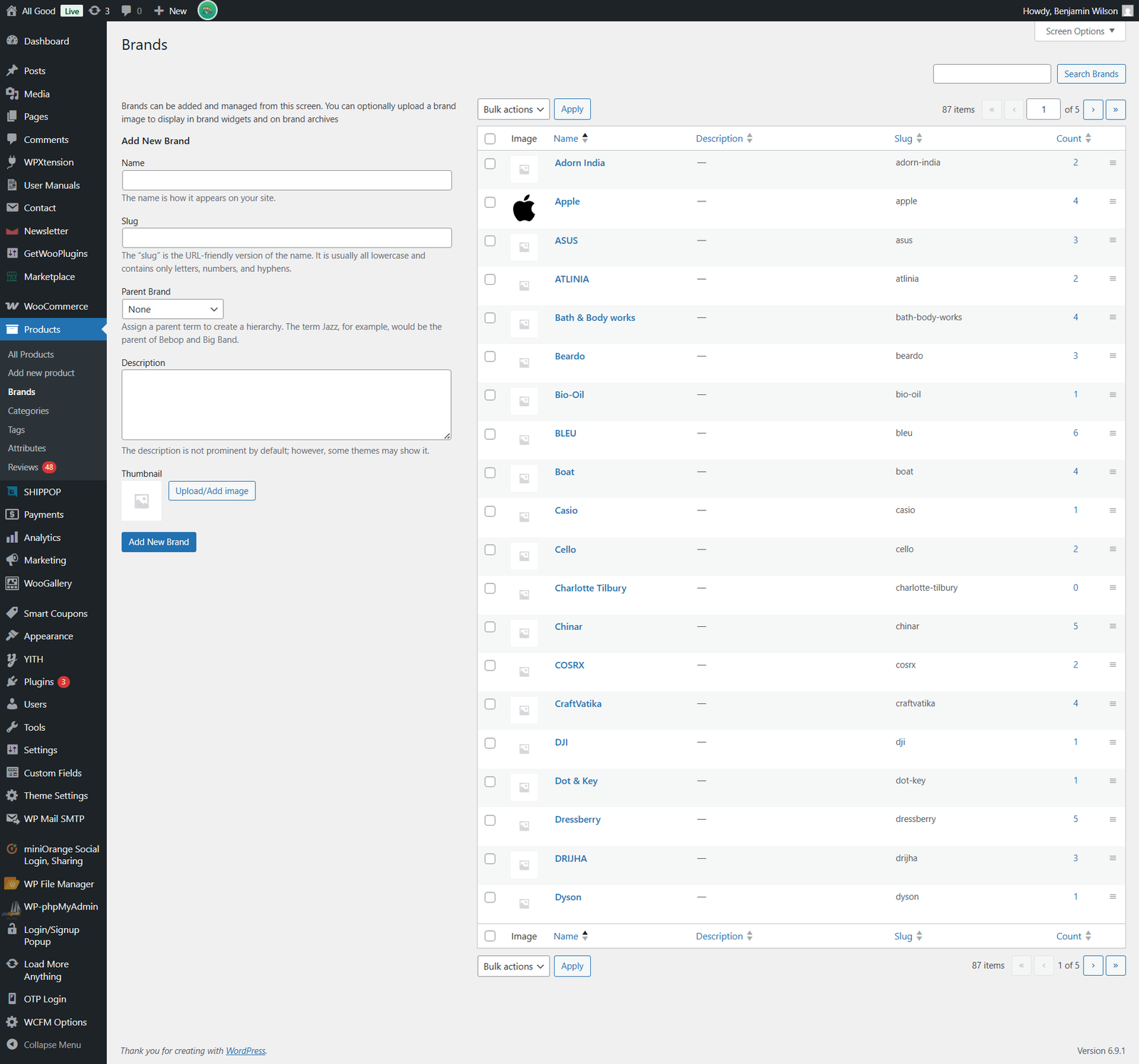
organizing products and showcasing them effectively to shoppers is key to user experience and sales performance. Behind the scenes, this organization is powered by a Category & Brand Management System within the admin portal — a backend tool that helps administrators structure and control how products appear on the website.
Group products into broad categories (e.g., Electronics, Beauty & Personal Care, Home & Furniture) to make browsing easy for users.
Create and manage subcategories under each group (e.g., Wireless Earbuds under Electronics) for refined navigation.
Control which categories are active or inactive, making it easy to enable seasonal offerings (like Holiday Deals) or temporarily hide sections.
Add and edit brands associated with products, including brand names and brand logos.
Link products to their respective brands so shoppers can browse by brand filters.
Make brands active or inactive as necessary (for example, if a brand is temporarily unavailable).
While the exact admin interface for All Good isn’t publicly accessible, most e-commerce admin systems include tools like:
Add/Edit/Delete Categories: Create parent and subcategories, assign images and descriptions.
Add/Edit/Delete Brands: Manage all brands in the catalog and connect them with products.
SEO Controls (Optional): Add meta titles, descriptions, and SEO-friendly URLs for categories and brand pages.
Status Toggles: Activate or deactivate categories and brands as business needs change.
Bulk Operations: Update multiple items at once, saving time for administrators.
URL: https://allgood.previewonline.website/wp-admin/edit-tags.php?taxonomy=product_cat&post_type=product
AllGoodTH is an online e-commerce platform that offers a wide range of products including electronics, fashion, beauty & personal care, home & furniture, and more. Customers can browse categories, view featured products, add items to cart, and complete orders through the site.
Behind the scenes, the Product Management System in the admin portal is the backbone of how the marketplace operates. This system enables administrators and sellers to efficiently organize, update, and control every product displayed on the website.
A Product Management System (PMS) in an admin portal refers to the suite of tools and interfaces that let administrators:
Add new products
Edit product details (name, description, pricing)
Manage product categories and subcategories
Upload and organize images
Update inventory and stock levels
Publish or unpublish products
Handle product variations like sizes, colors, etc.
Admins can input and edit all essential details for each product:
Product title and description
Price (original and discounted prices)
Product SKU and code
Availability and stock quantity
Product tags and searchable keywords
High-quality visuals are crucial for sales. The admin panel typically allows:
Uploading multiple images per product
Selecting a main product image
Optimizing images for web performance
The PMS monitors inventory by:
Updating stock counts when purchases are made
Notifying the admin when stock runs low
Marking products as “out of stock” when sold out
Admins can manage pricing strategies directly:
Set regular and sale prices
Activate promo codes and seasonal discounts
Apply special offers for targeted products
Each product can be:
Published (visible to customers)
Unpublished (hidden from the storefront)
Scheduled (automatically published at a later date)
URL: https://allgood.previewonline.website/wp-admin/edit.php?post_type=product
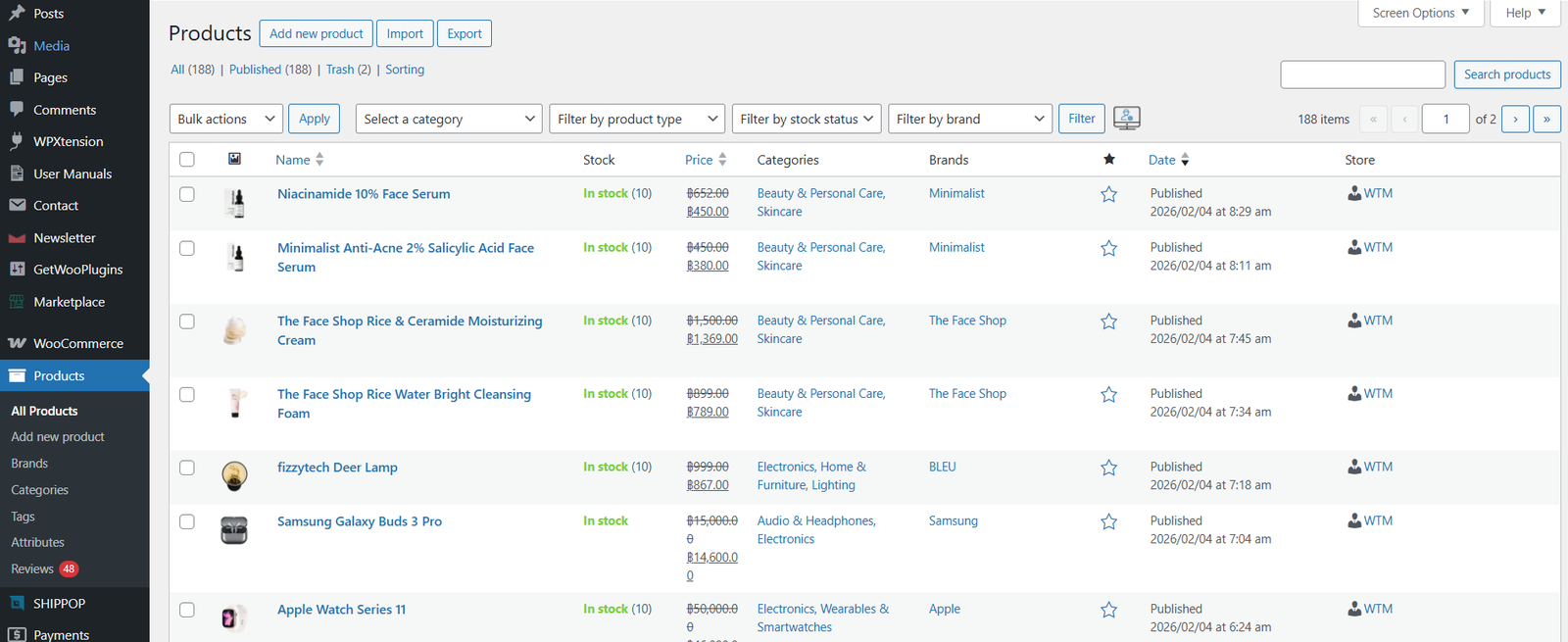
Click on the Products button from the left menu bar. Here you will see all the products from admin and all the vendors.
Click on Add Product button to add new products. You can create simple, grouped & variation products here. fill all the details in the modal.
an Order Management System is a central software component within the admin portal that handles the lifecycle of every purchase — from the moment a customer places an order to the final delivery and any post-sale service. It acts as the backbone of operational efficiency, helping admins manage orders, inventory, and customer communication in one place.
Once a customer places an order via the All Good storefront, the OMS records it in the admin panel. The system tracks each order through various stages:
Pending (newly placed orders), Confirmed, Processing, Shipped, Delivered, Cancelled or Returned
URL: https://allgood.previewonline.website/wp-admin/edit.php?post_type=shop_order
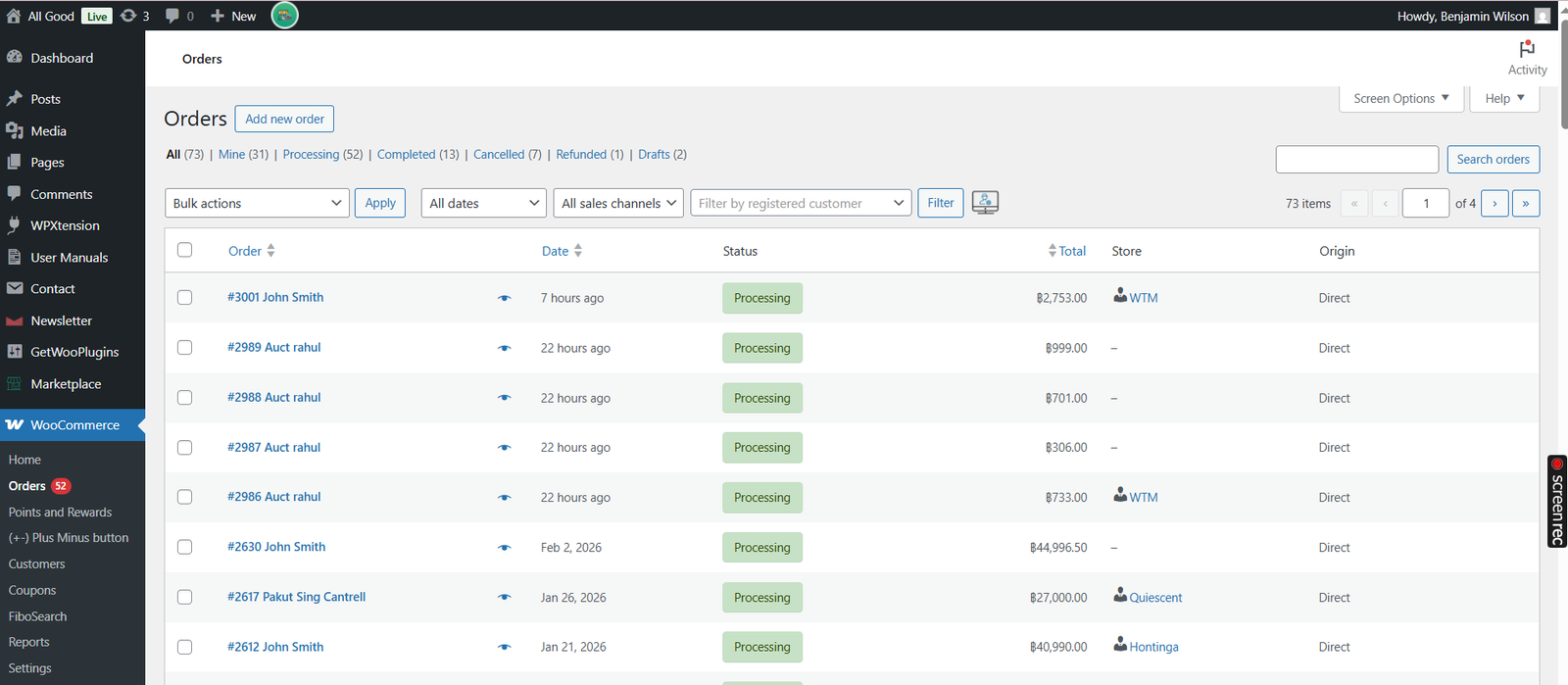
Click on the Orders button from the left menu bar. Here admin will see all the Orders of admin as well as vendors.
You can also create new order from admin panel by clicking on Add Order Button as shown below.
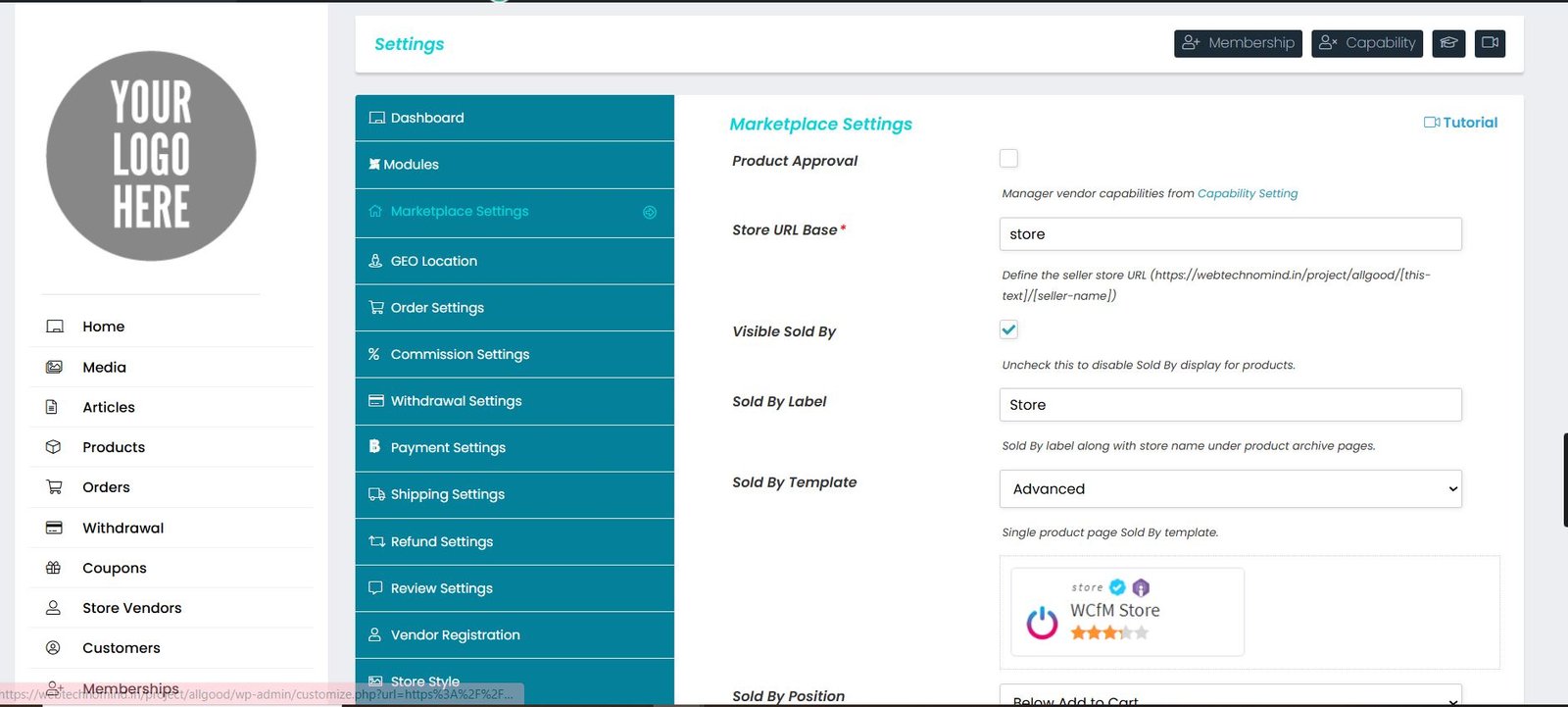
Select the Marketplace Settings option from the left menu bar. Here, the administrator can modify all settings through various submenus, including General Settings, Selling Options, Withdrawals, Payment Methods, Page Configuration, Appearance, Privacy Policy, and Social API.
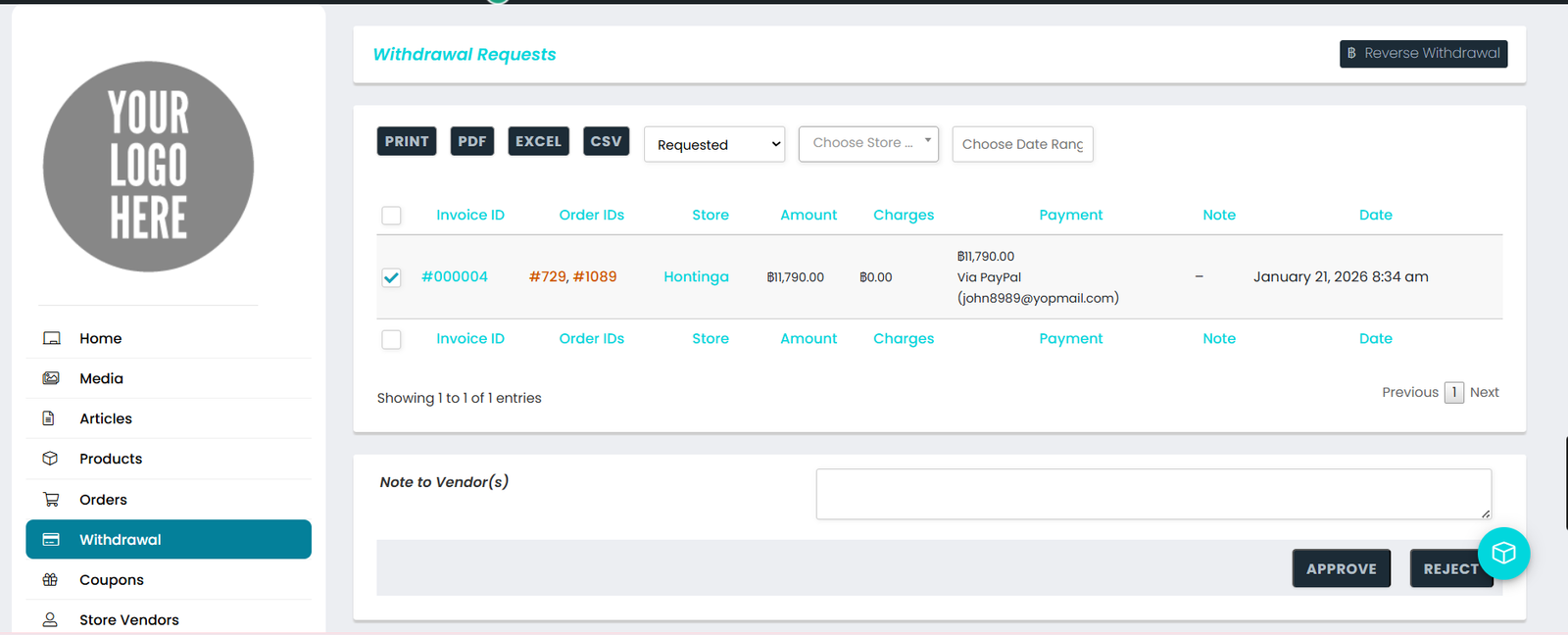
Select the Withdrawal button located in the left menu bar. Here, the admin will be able to view all withdrawal requests from vendors and can approve or reject requests directly from this interface.
URL: https://allgood.previewonline.website/store-manager/withdrawal-requests/
allgood.previewonline.website is an online e-commerce marketplace offering a wide range of products across categories like fashion, electronics, home goods, beauty, and more. The site functions as a multi-seller platform where different individual and business sellers can list and sell their products to customers worldwide.
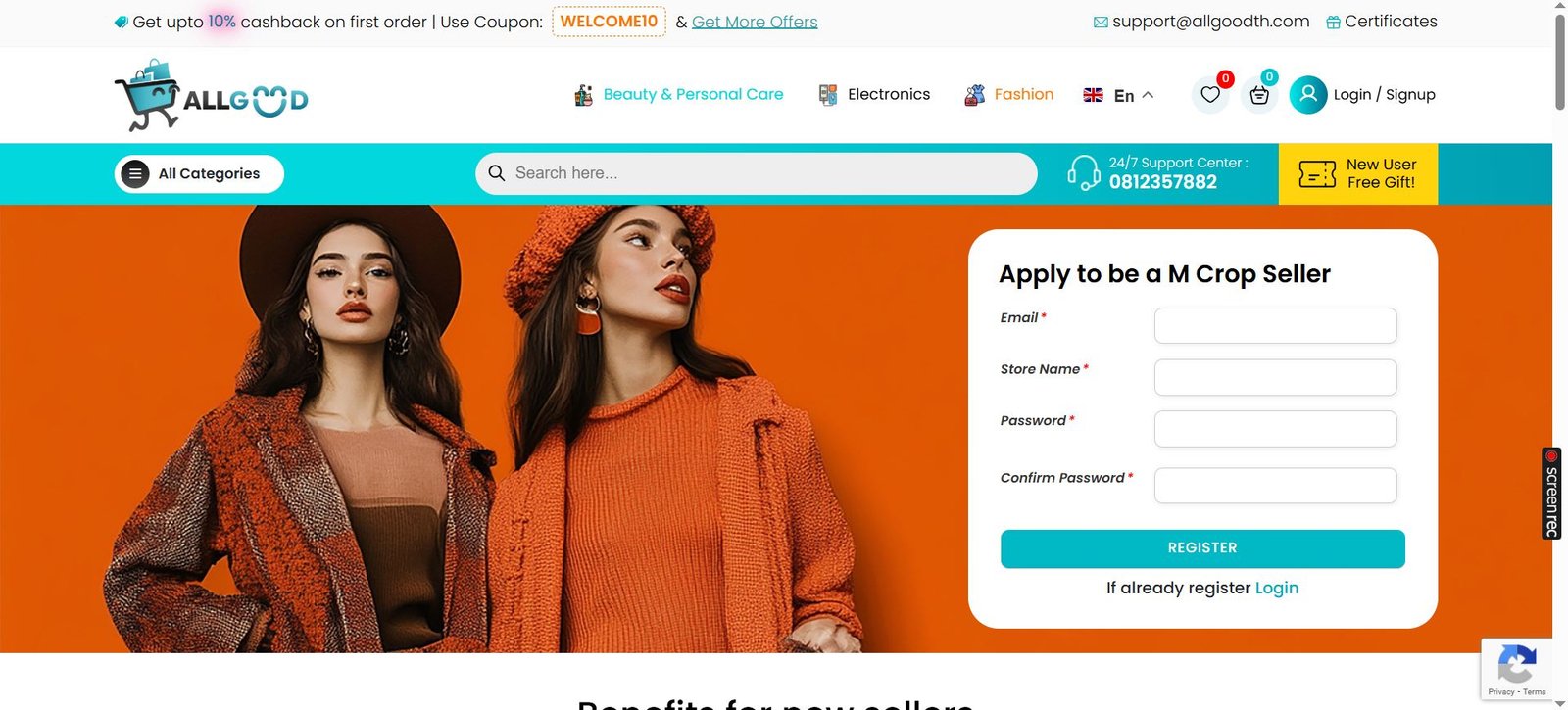
If you’re interested in selling on allgood.previewonline.website, the website offers an option to “Become a Seller,” which suggests the existence of a Seller Dashboard or seller portal. This portal is designed to help merchants register, manage, and operate their online storefront within the Allgoodth marketplace.
Sign-Up & Verification: Sellers must create an account on the platform, providing business details, contact information, and possibly identity verification.
Business Profile Setup: After registering, sellers set up their online store within Allgoodth, including business name, logo, descriptions, and store policies.
URL: https://allgood.previewonline.website/seller-registration/
Vendors have a distinct dashboard that allows for easy access and modifications, featuring an appealing User Interface (UI) and complete customization options.
URL: https://allgood.previewonline.website/store-manager/
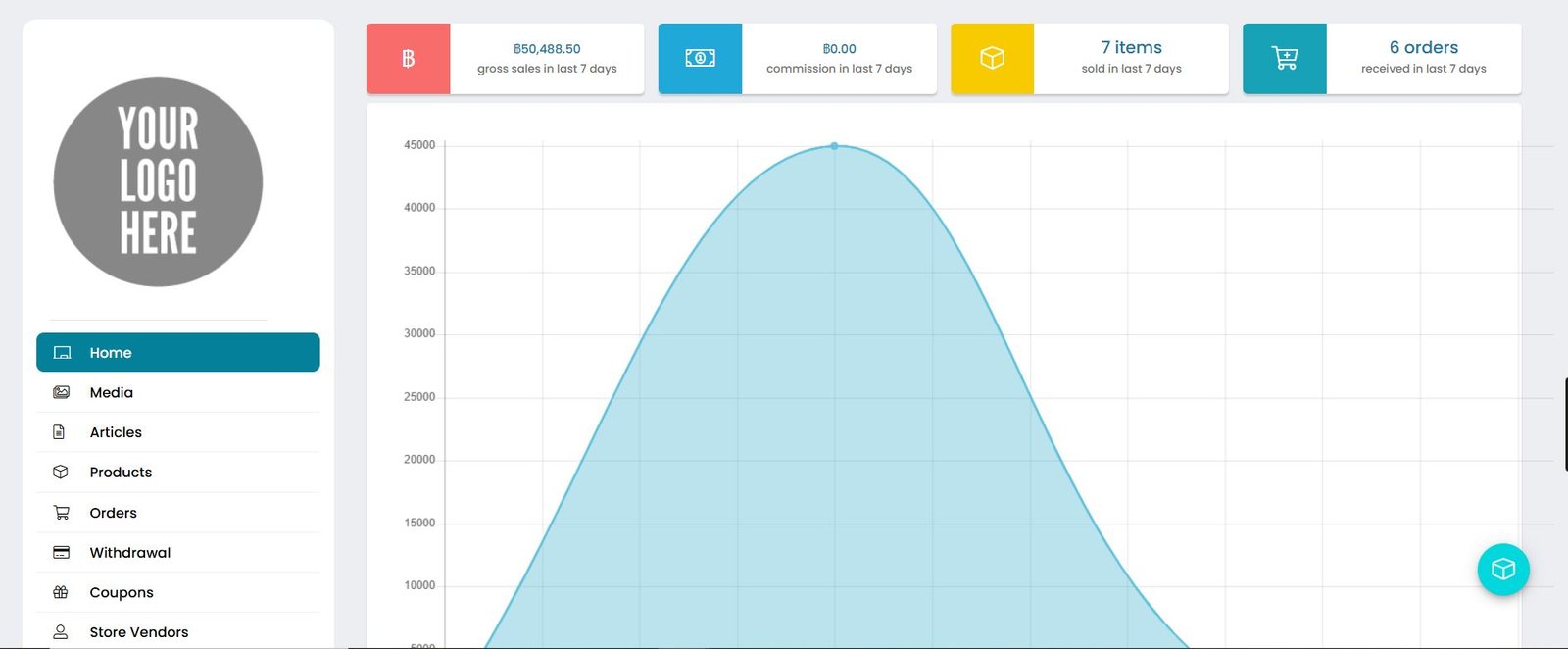
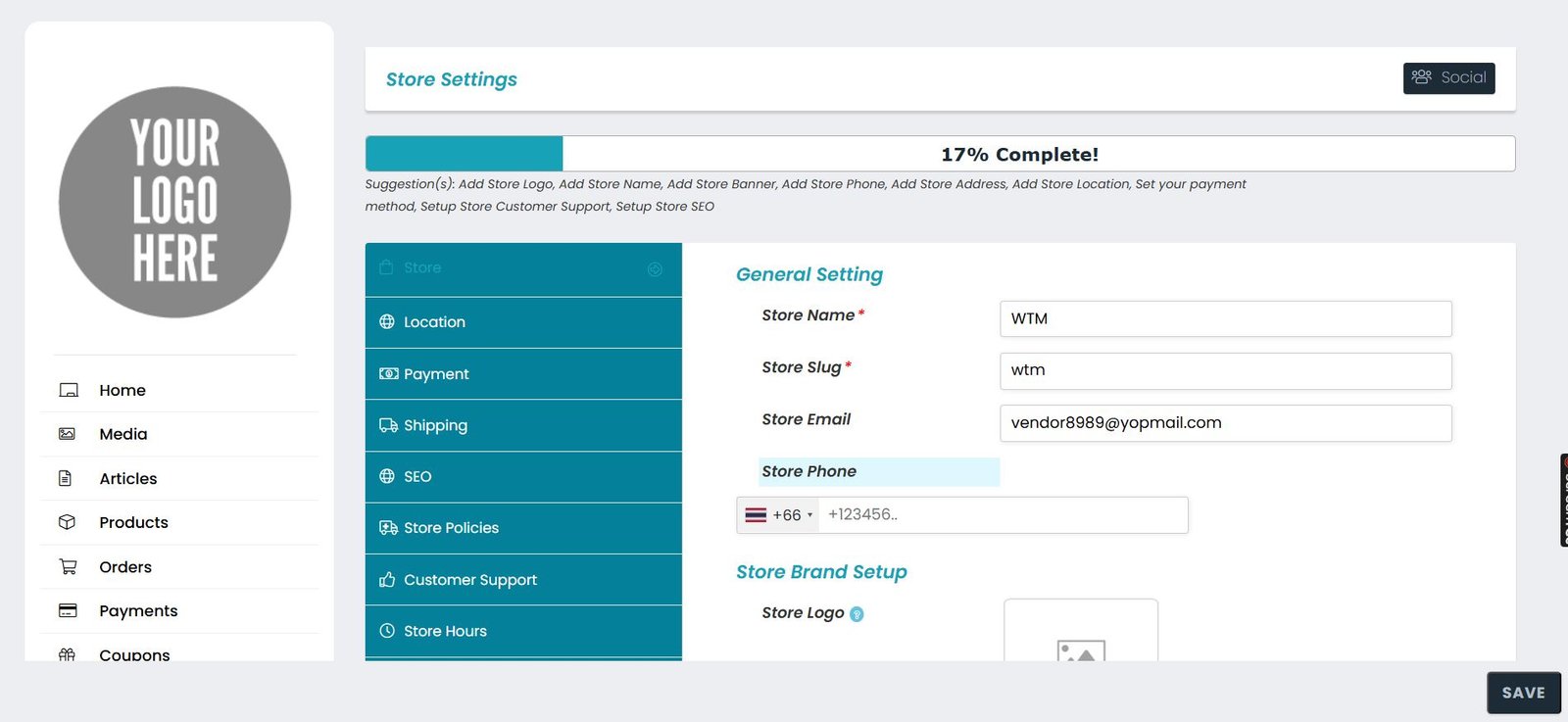
The admin includes a section for modifying and managing vendor stores, allowing for changes to be made to everything, and vendors also possess the same capability.
URL: https://allgood.previewonline.website/store-manager/settings/
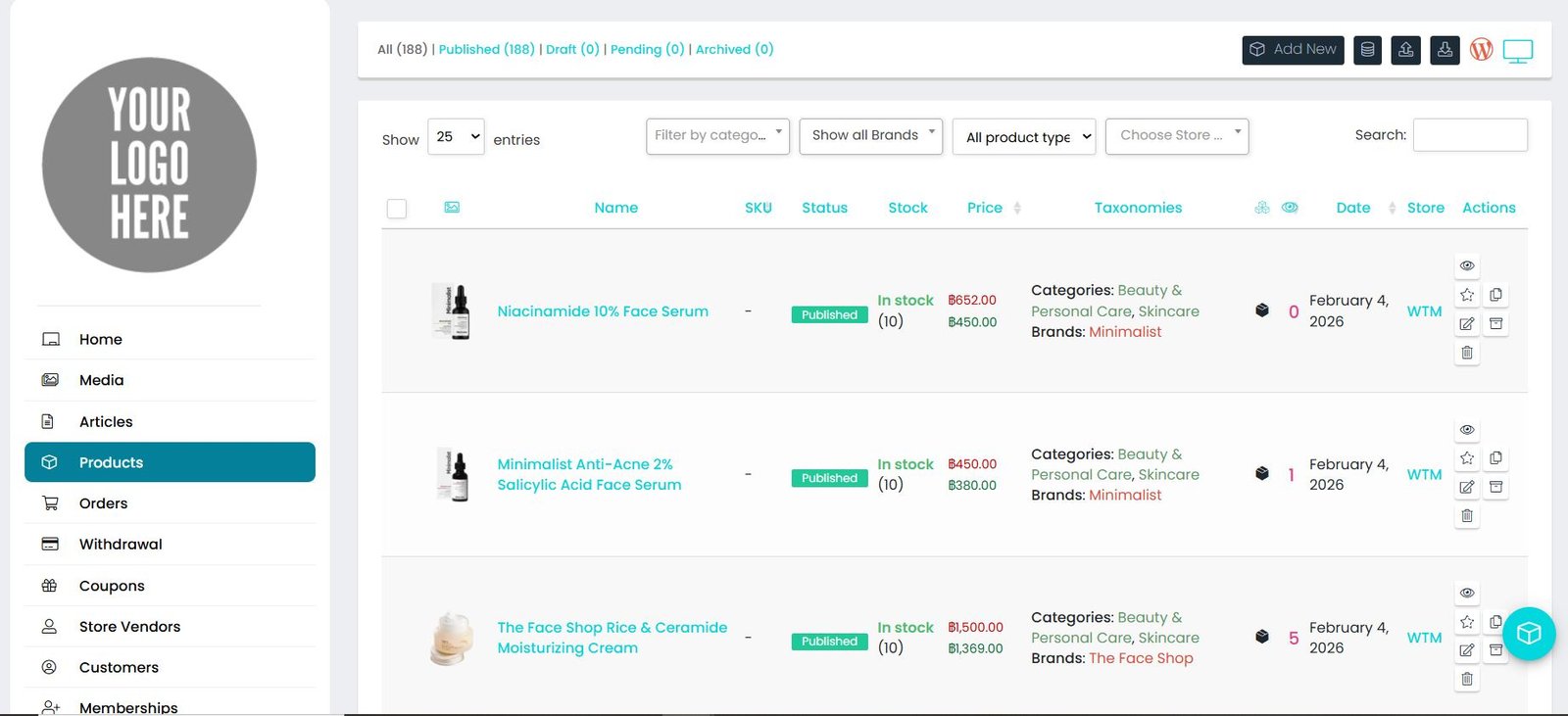
Uploading new items that include titles, descriptions, prices, and images. Sellers can also oversee inventory quantities and categorize products accordingly.
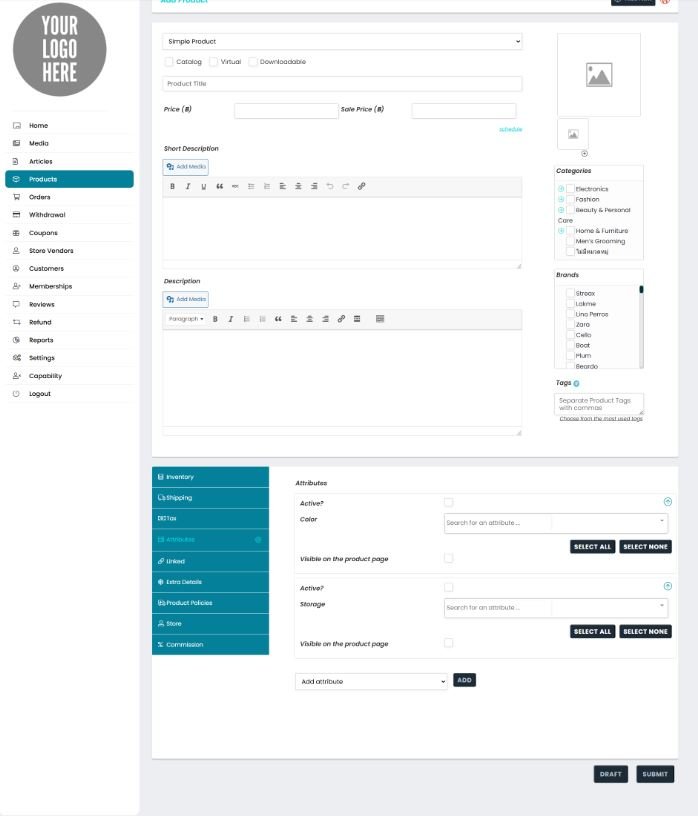
The vendor has the ability to directly create various product types, such as Simple, Grouped, and Variable, from their dashboard.
The admin has a section dedicated to customers, where they can access all relevant customer information.
URL: https://allgood.previewonline.website/store-manager/customers/
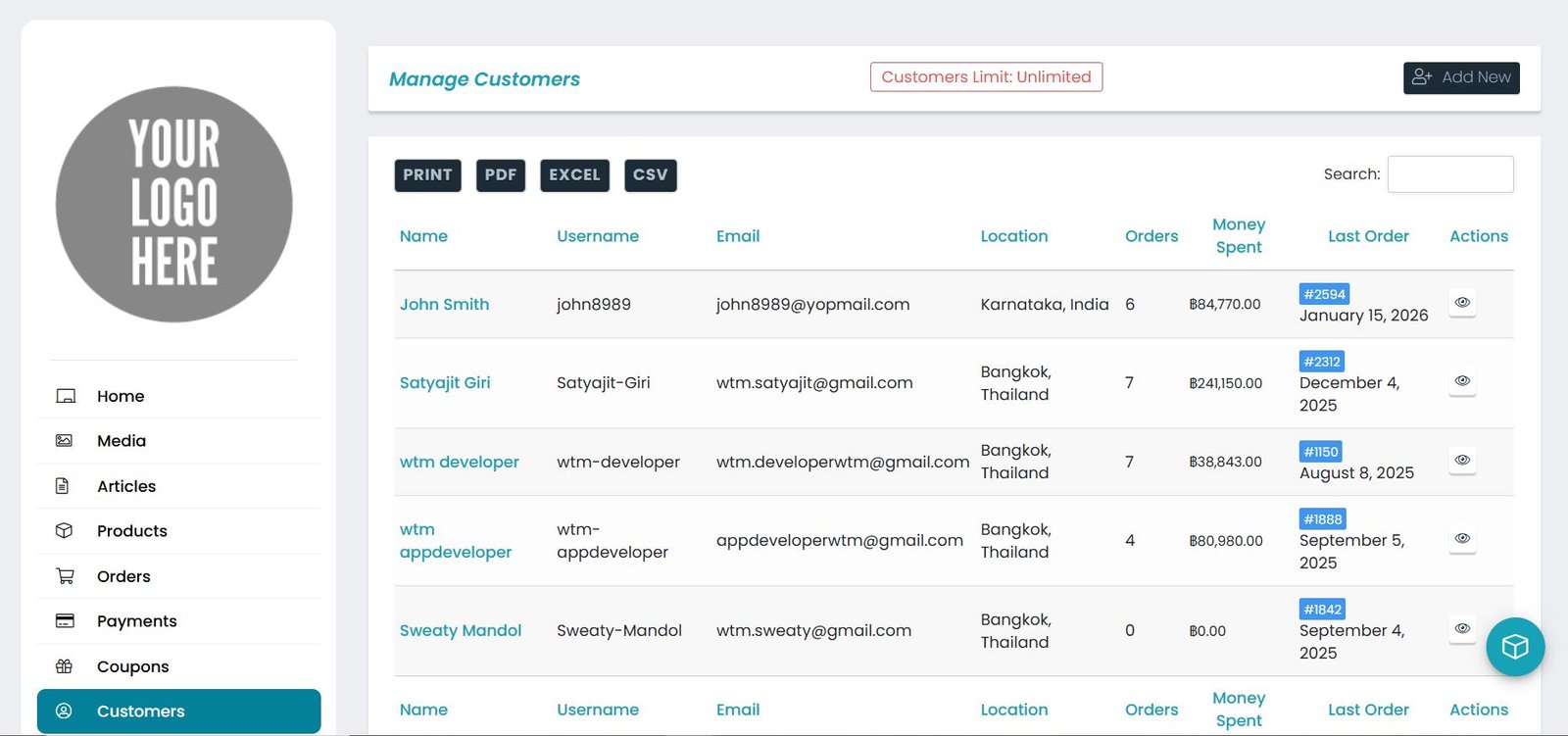
All the features of the lite version are carried forward and also can be modified.
Tracking all customer orders in one place. Sellers can view new orders, update order statuses (like “processing” or “shipped”), and manage returns or cancellations.
Both the Vendor and Admin have a section that provides a comprehensive view of orders, complete with all functionalities.
URL: https://allgood.previewonline.website/store-manager/orderslist/
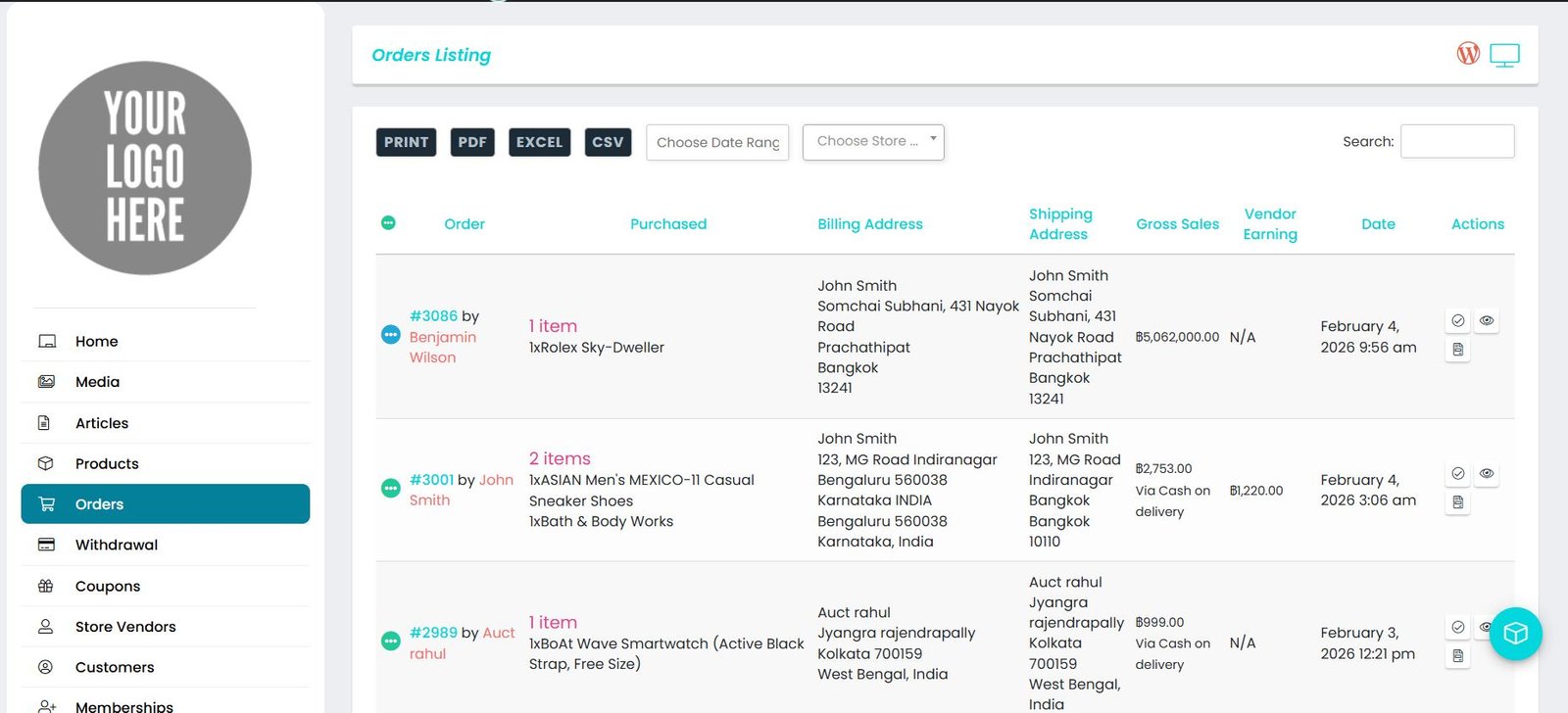
Customers can place orders from various stores within a single transaction, and the items will be categorized according to the respective vendor’s products.
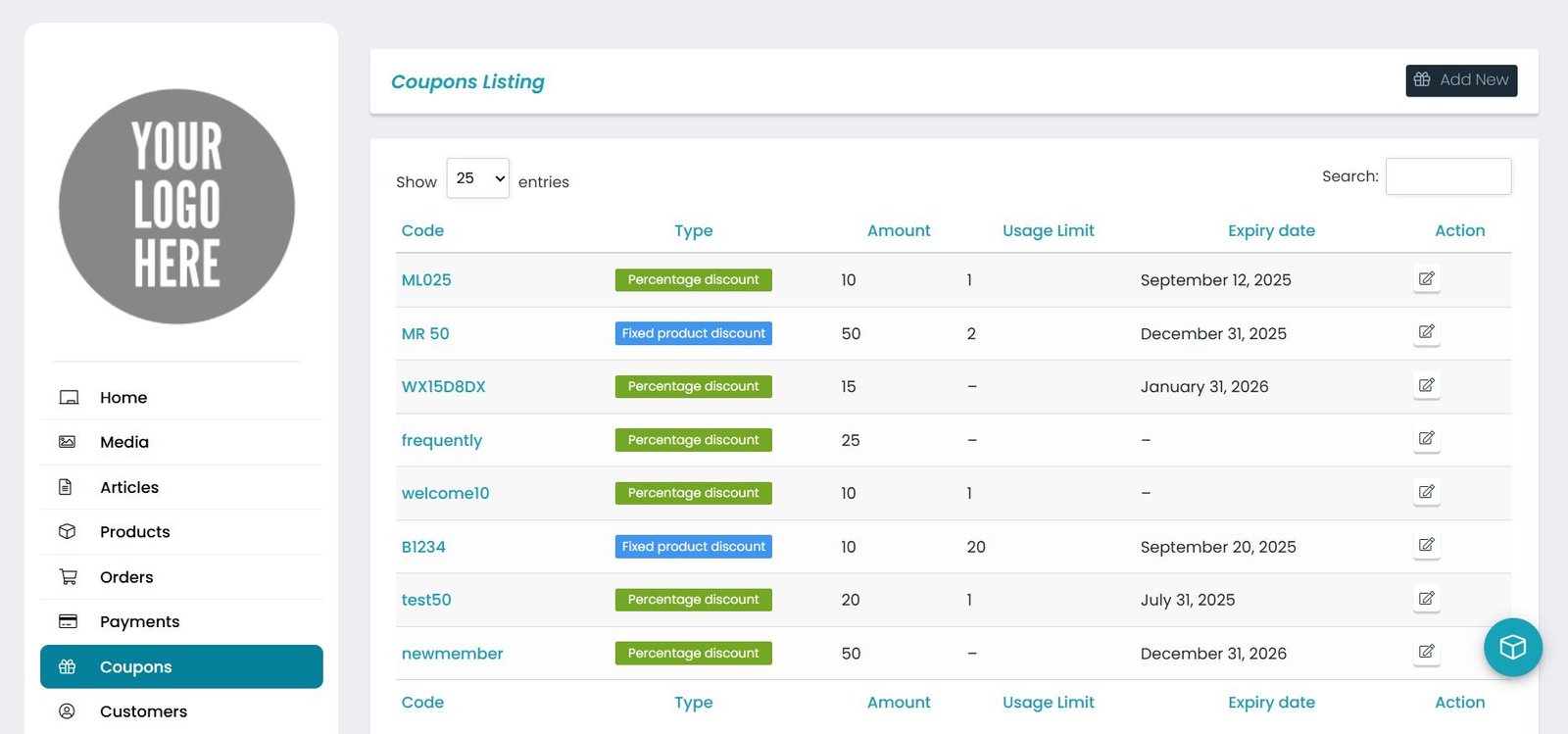
The presence of seller accounts and marketplace features implies that sellers likely have tools to:
Create custom coupons or discount codes for their individual products, Manage promotional campaigns tied to seasonal, sales or flash discounts, Set offer durations that align with marketing strategies, Track coupon performance to understand impact on sales
URL: https://allgood.previewonline.website/store-manager/coupons/
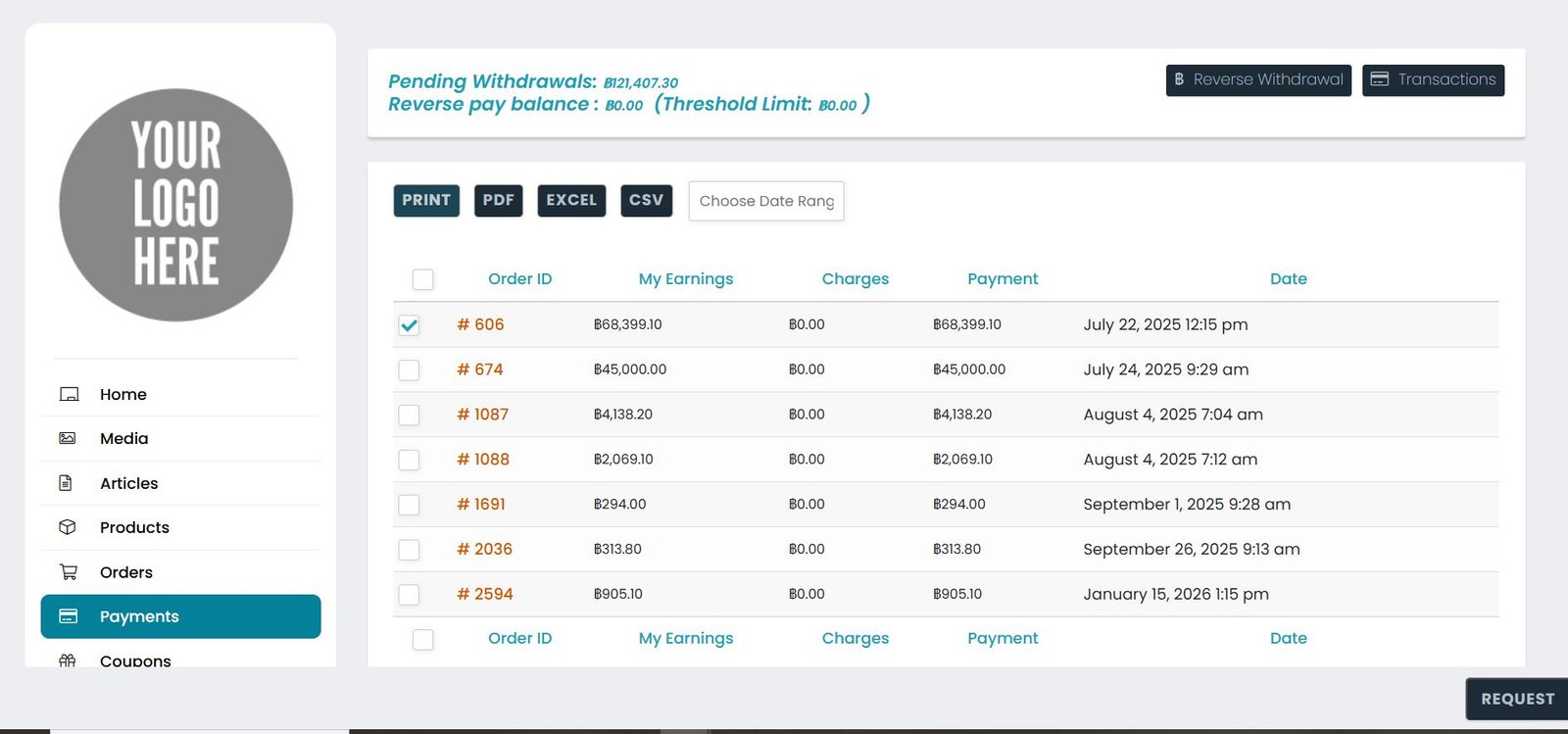
Accessing payout information, payment records, and financial overviews. Typically, sellers have the option to set their preferred method for receiving earnings.
Request for Withdrawal – The vendor has a specific section dedicated to his earnings and withdrawals, allowing him to monitor it at all times.
URL: https://allgood.previewonline.website/store-manager/withdrawal/
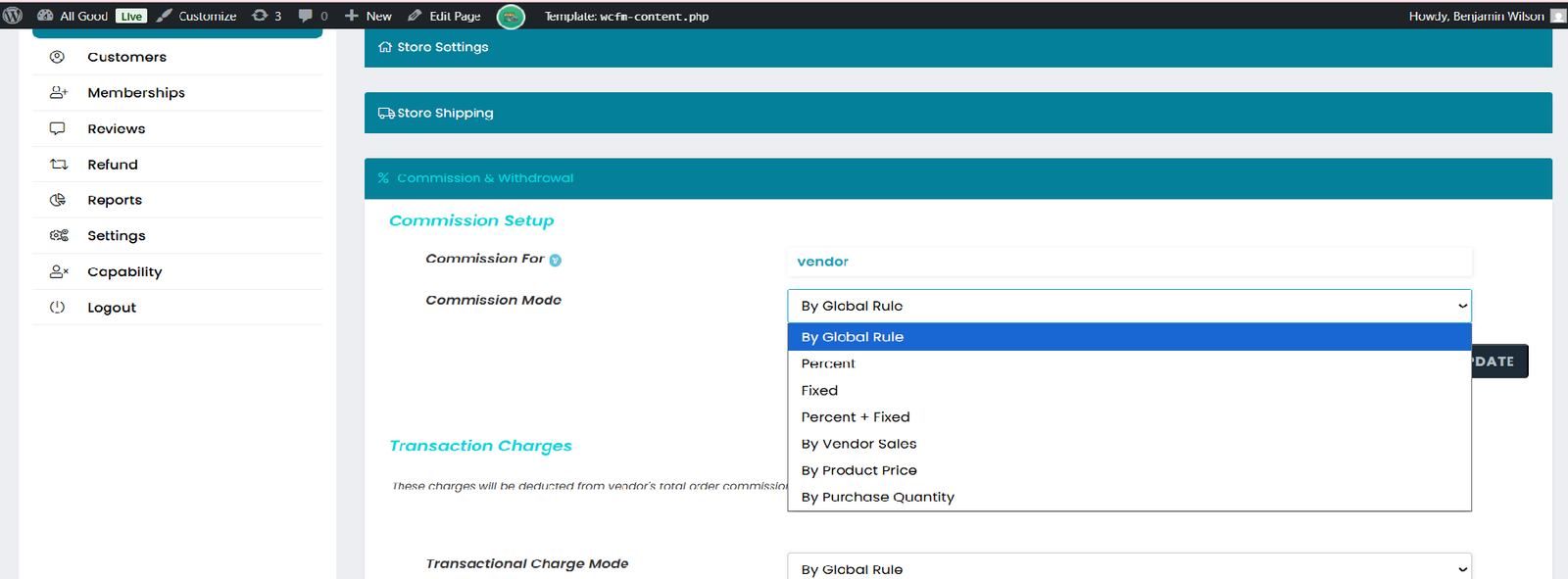
You have the ability to establish various types of commissions for different vendors across multiple products and categories.
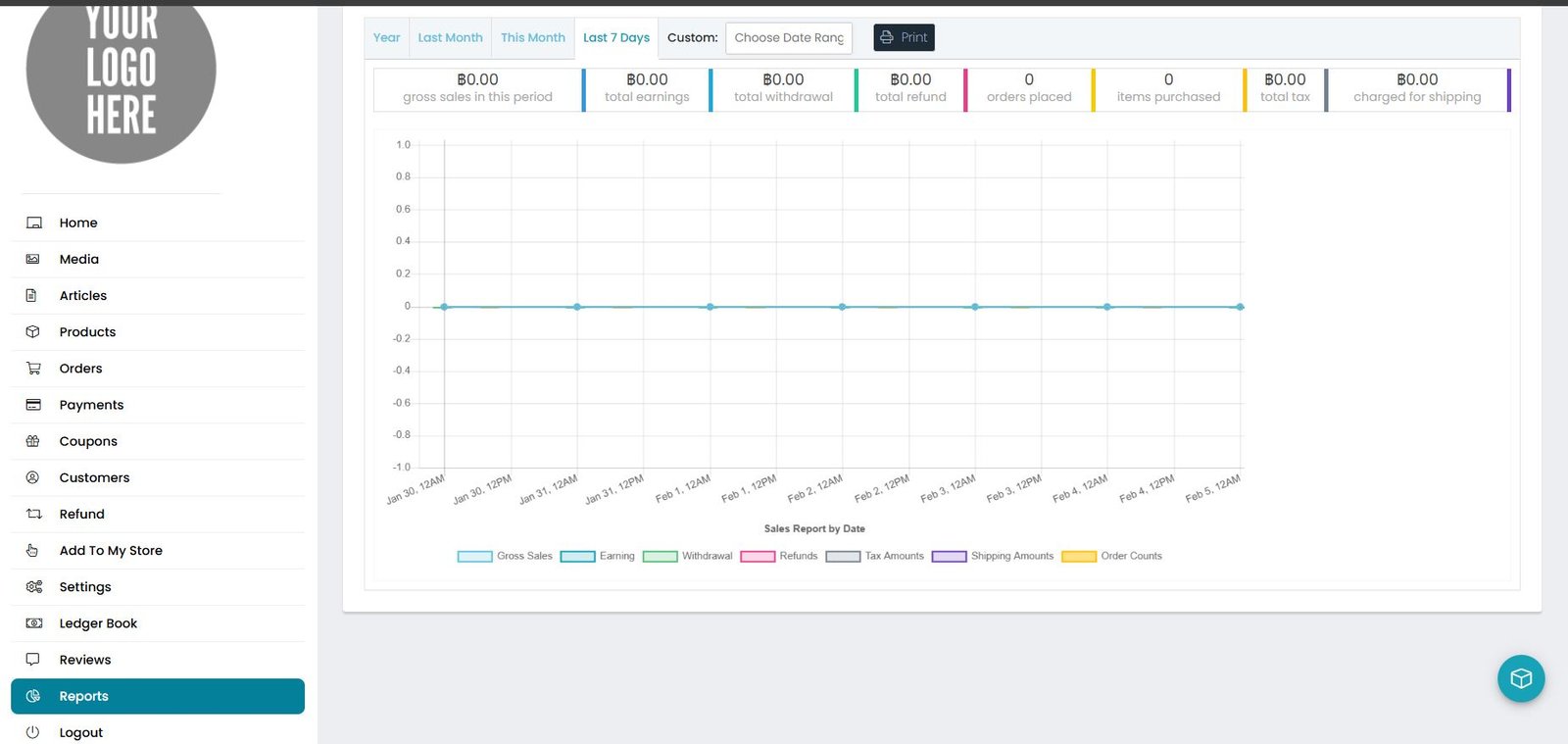
URL: https://allgood.previewonline.website/store-manager/reports-sales-by-date/
All the reports are available for all the sales, orders, products, commission & much more.
Vendor’s dashboard also consist different report sections by which it will be easy to know all the activities.
The whole store is controllable from the vendor end.
CSV export will provide all your data in csv format for your particular use.
Each and every functionality is working with Ajax By which it will be easy to use and great interface.
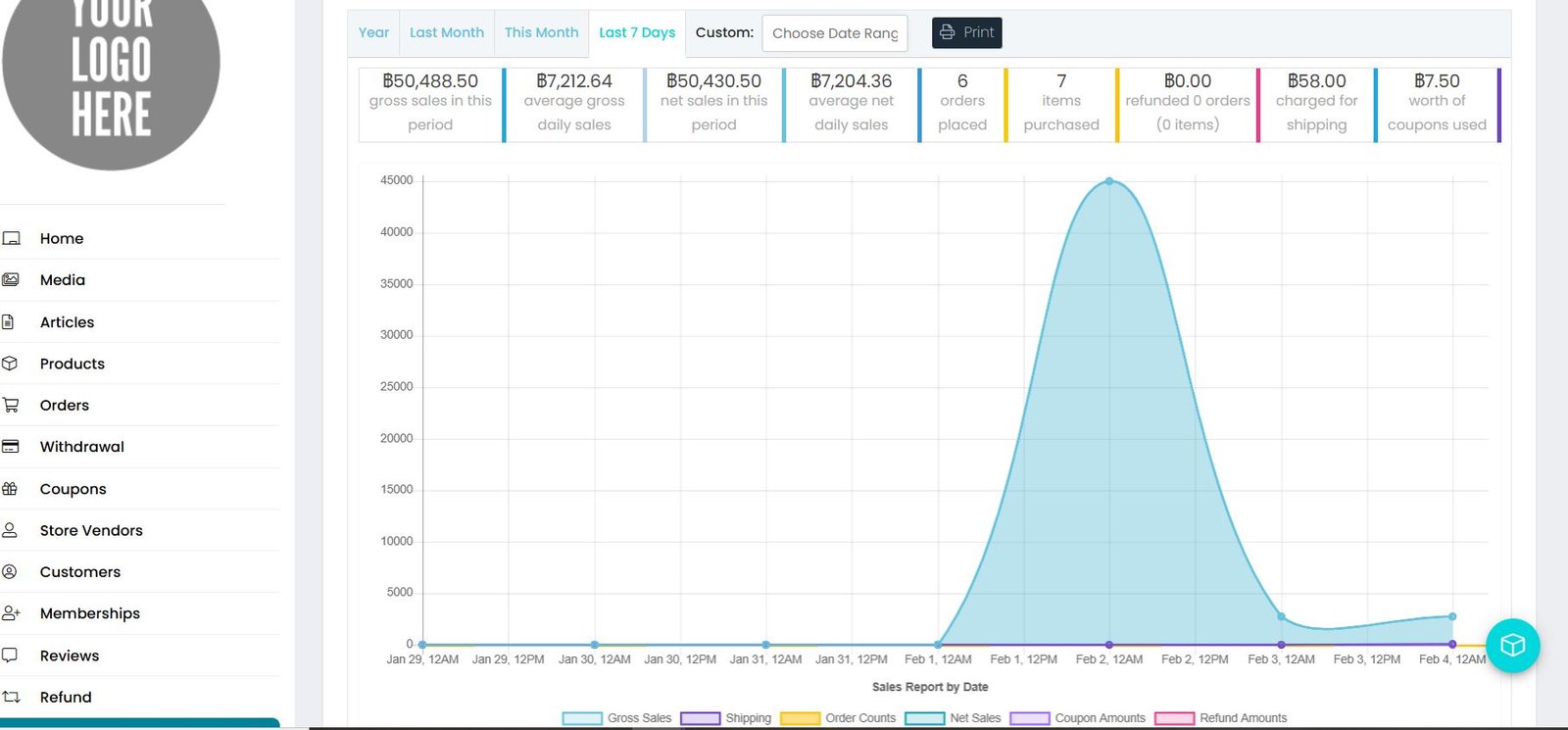
Tracking sales performance through reports on revenue, top-selling products, and customer trends — assisting merchants in making informed, data-driven decisions.
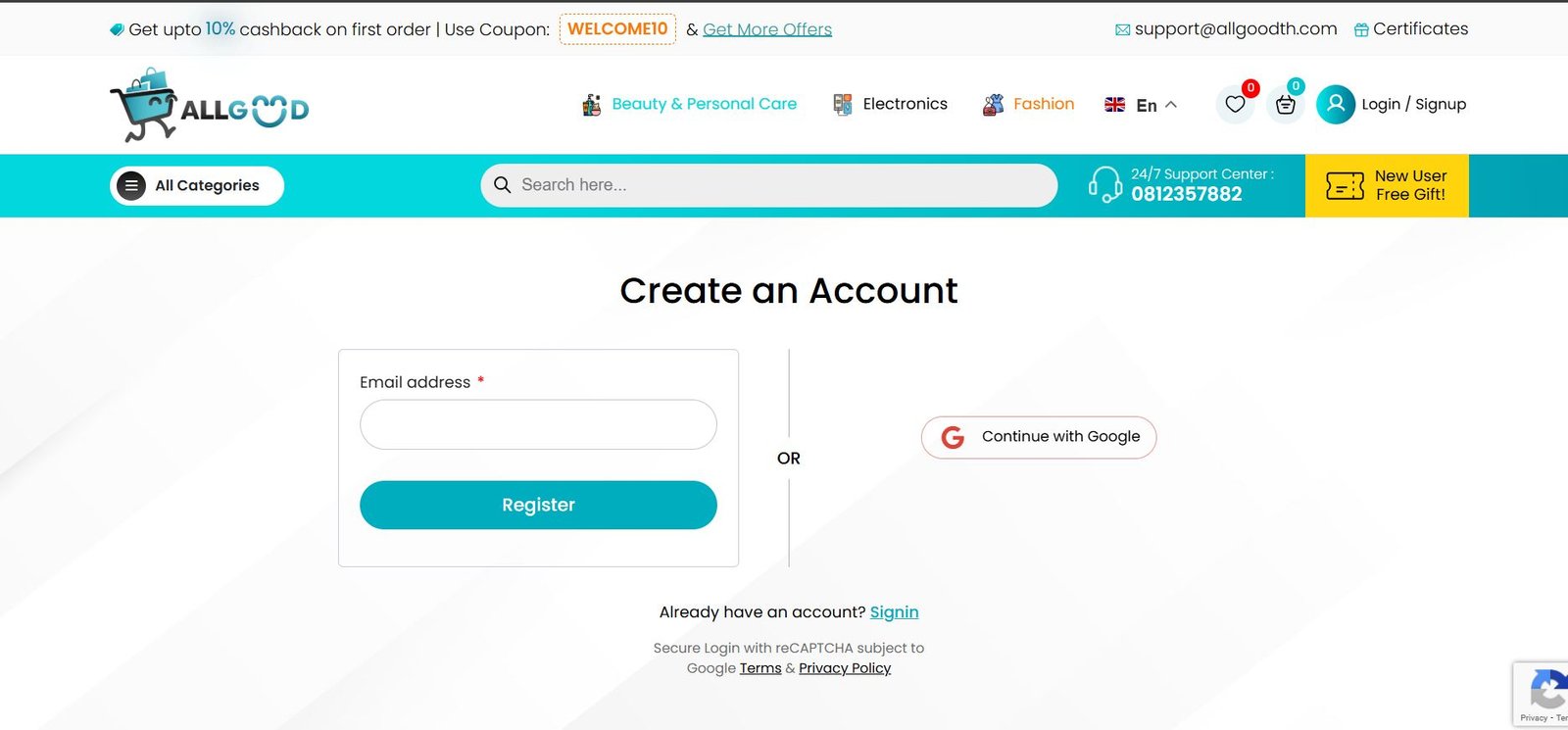
The customer registration system portal serves as a crucial element of the AllGoodTH online store. It acts as the digital entry point that allows visitors to become registered users. The registration process is vital because it-
Creates a Personalized Account, Offers Order Tracking & Management, Enables a More Efficient Checkout Process, Integrates With Customer Support
URL: https://allgood.previewonline.website/register/
A Customer Management System portal (often part of a CRM platform) is a centralized digital hub that helps businesses manage customer interactions and data throughout the entire customer lifecycle
URL: https://allgood.previewonline.website/my-account/?doing_wp_cron=1770279788.4131209850311279296875
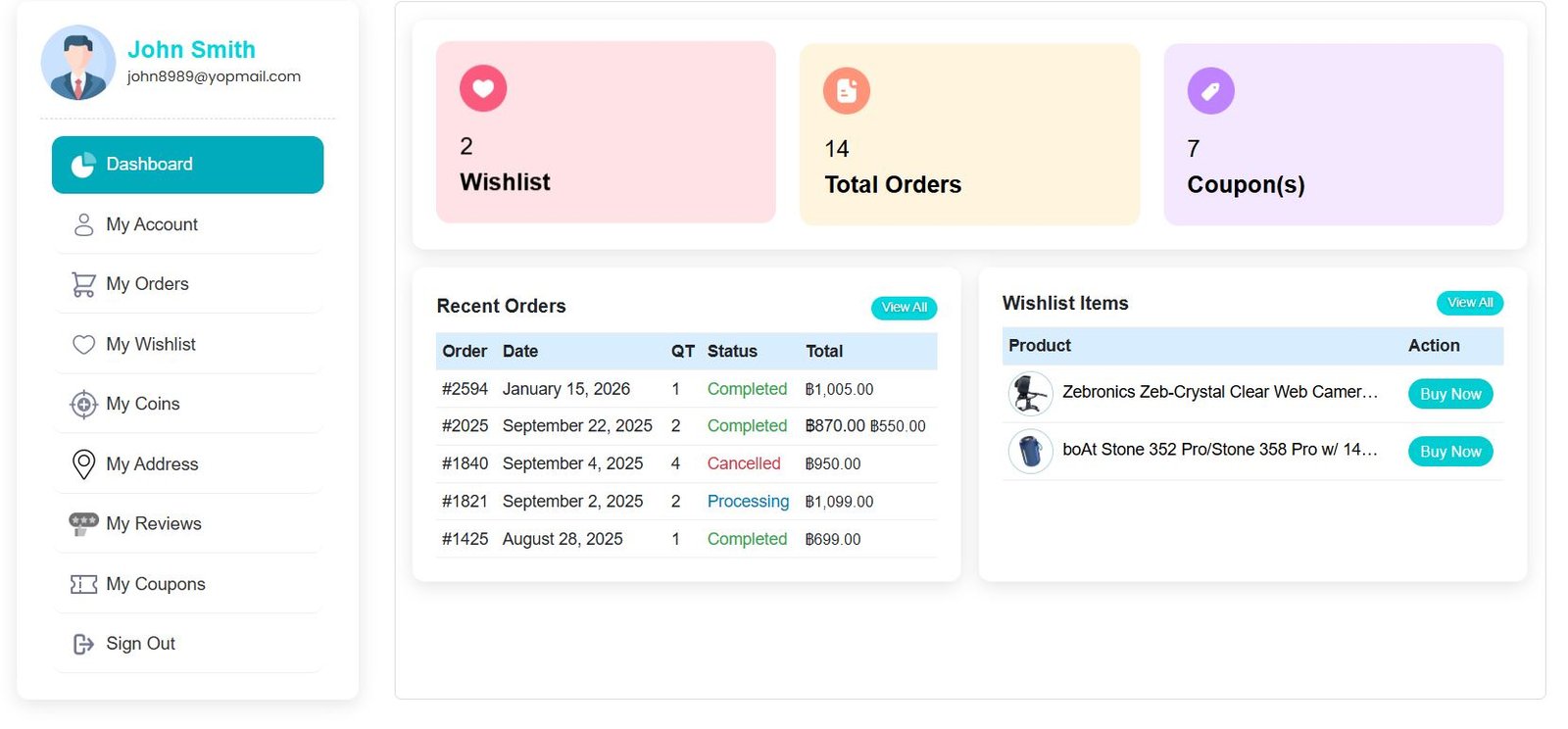
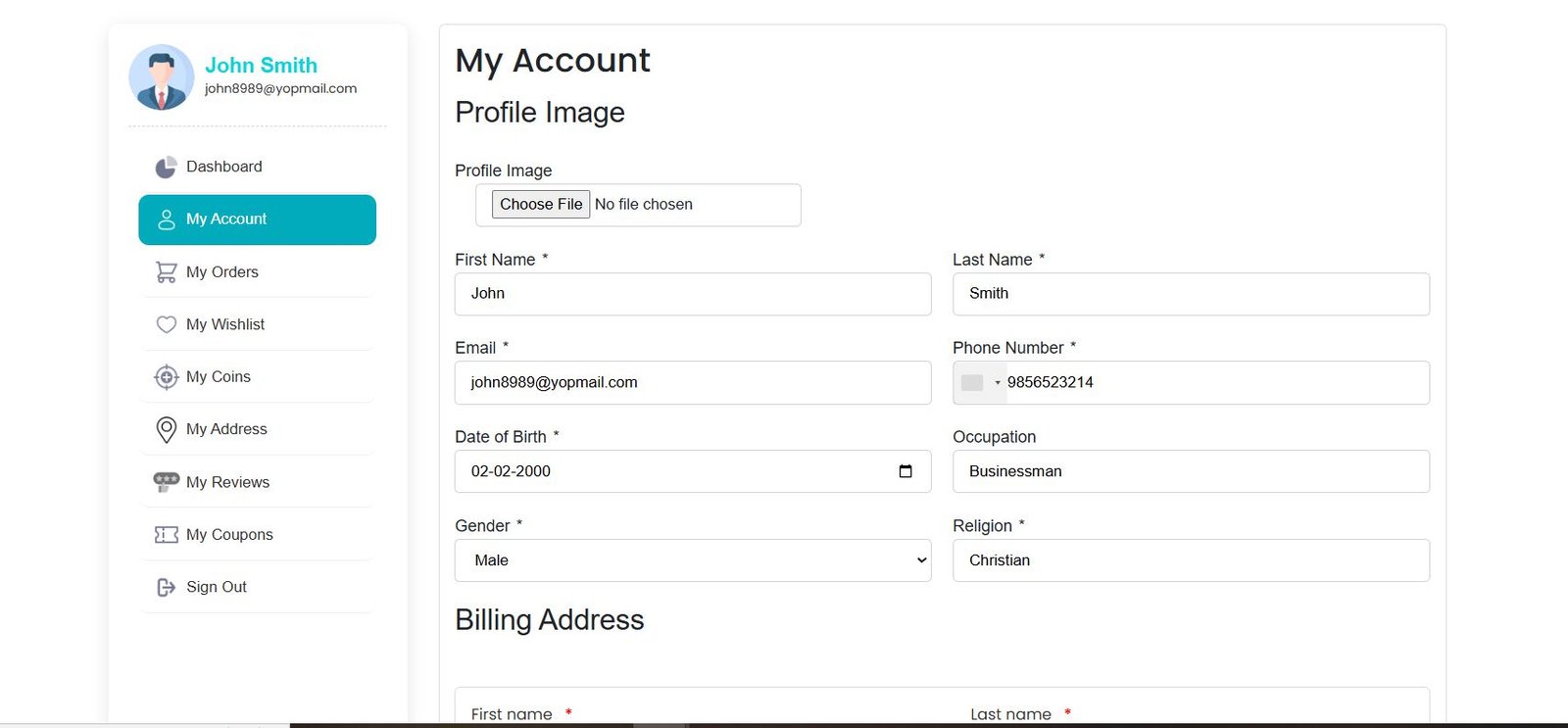
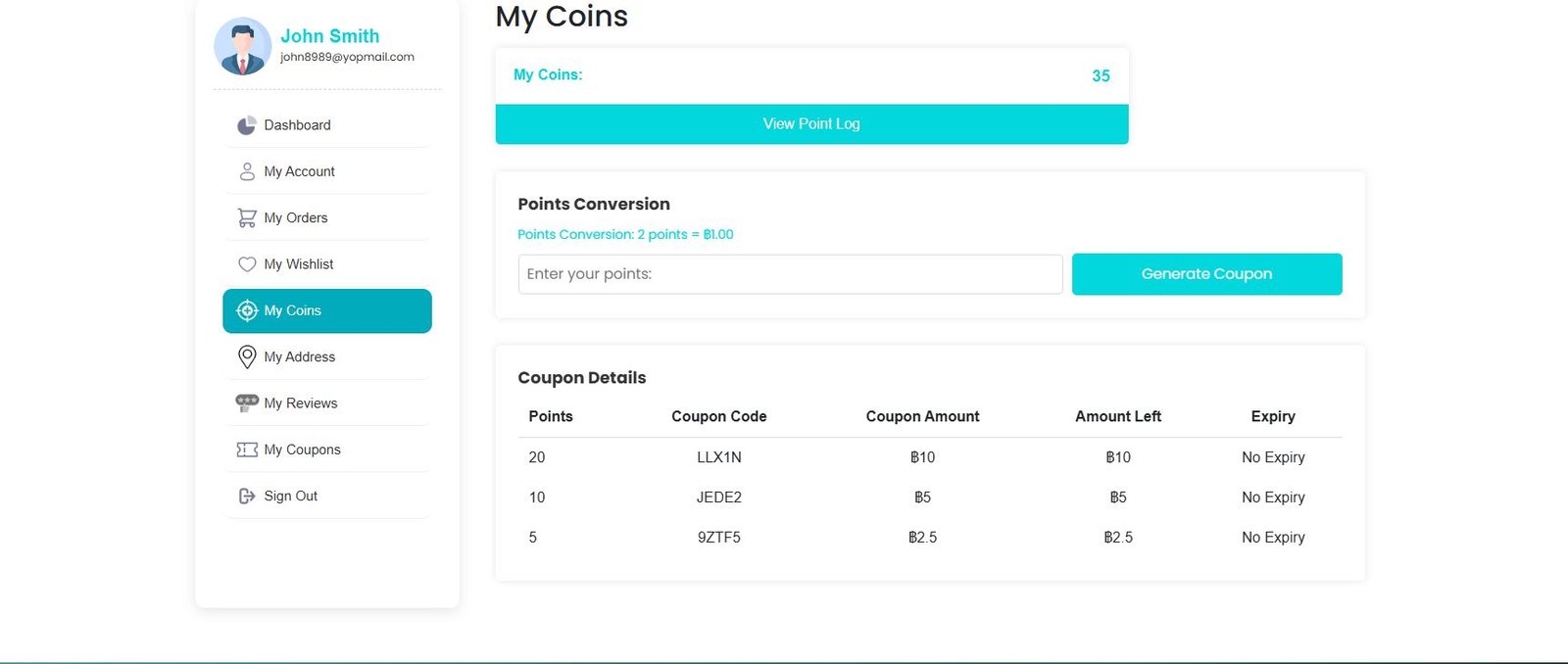
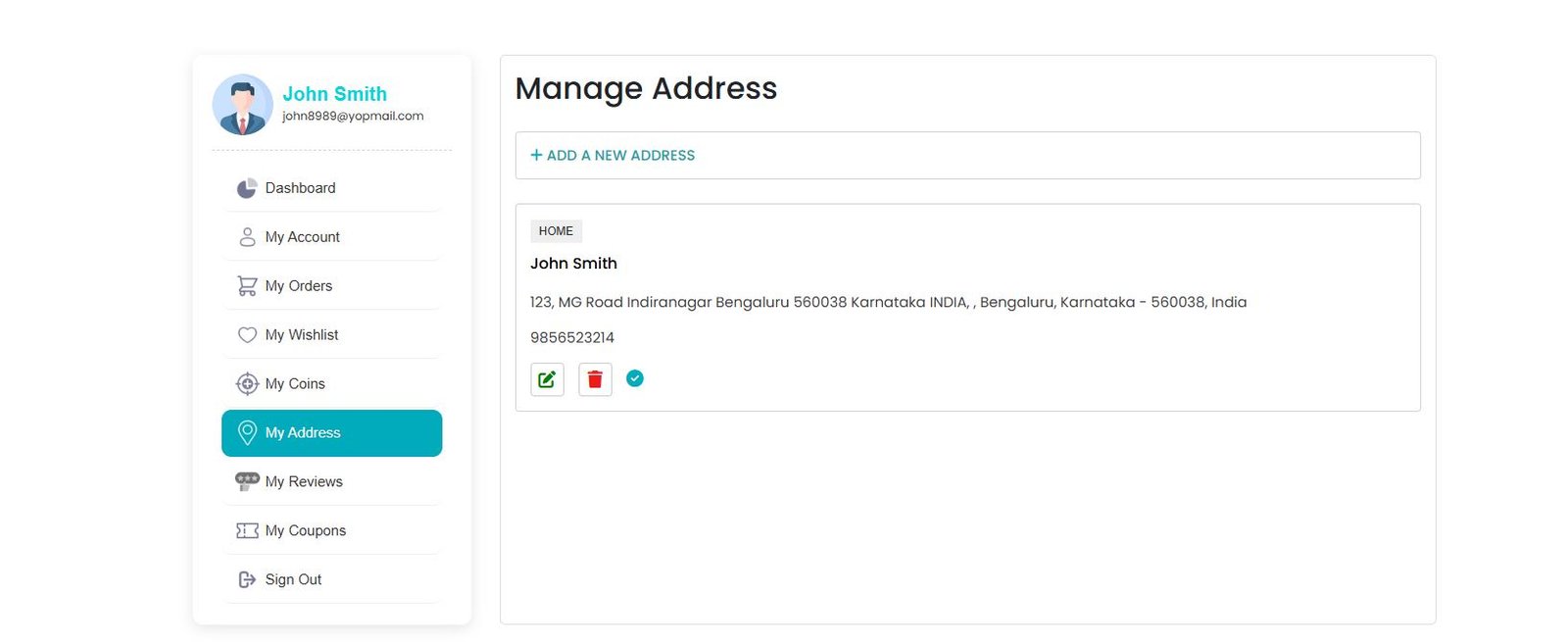
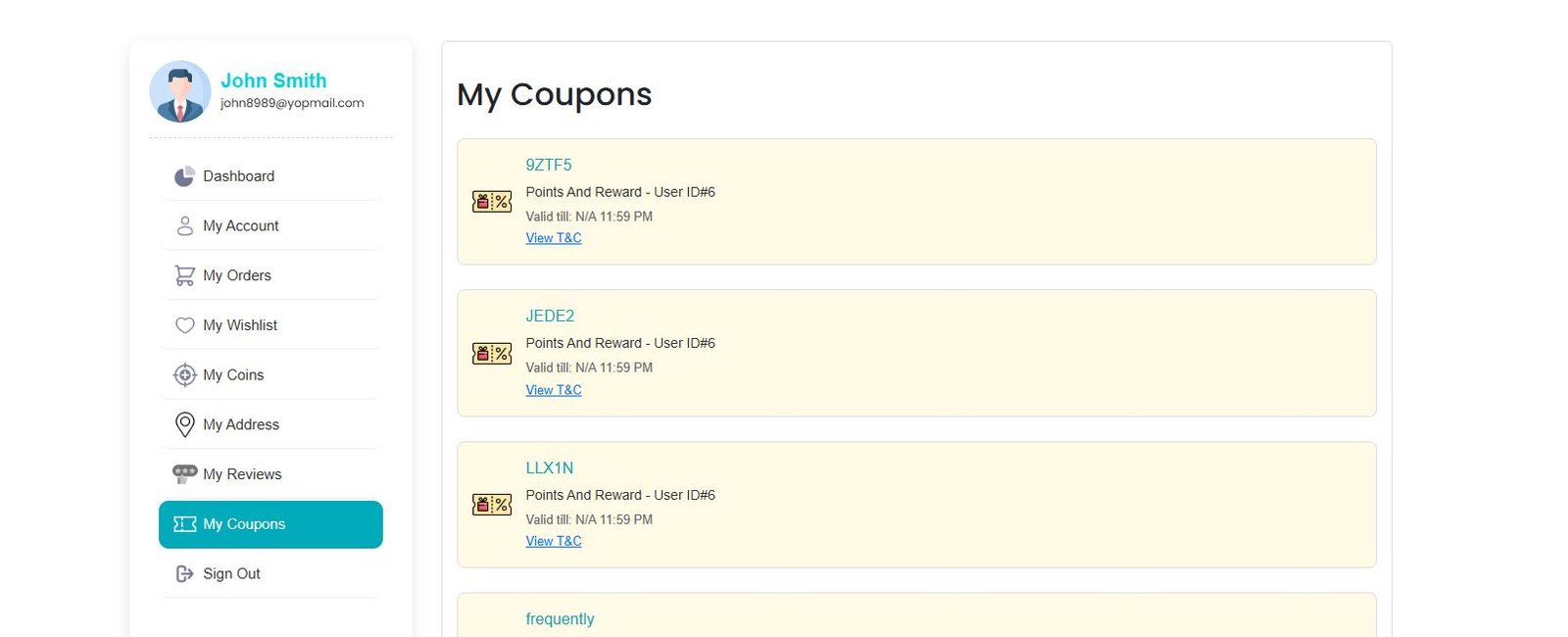
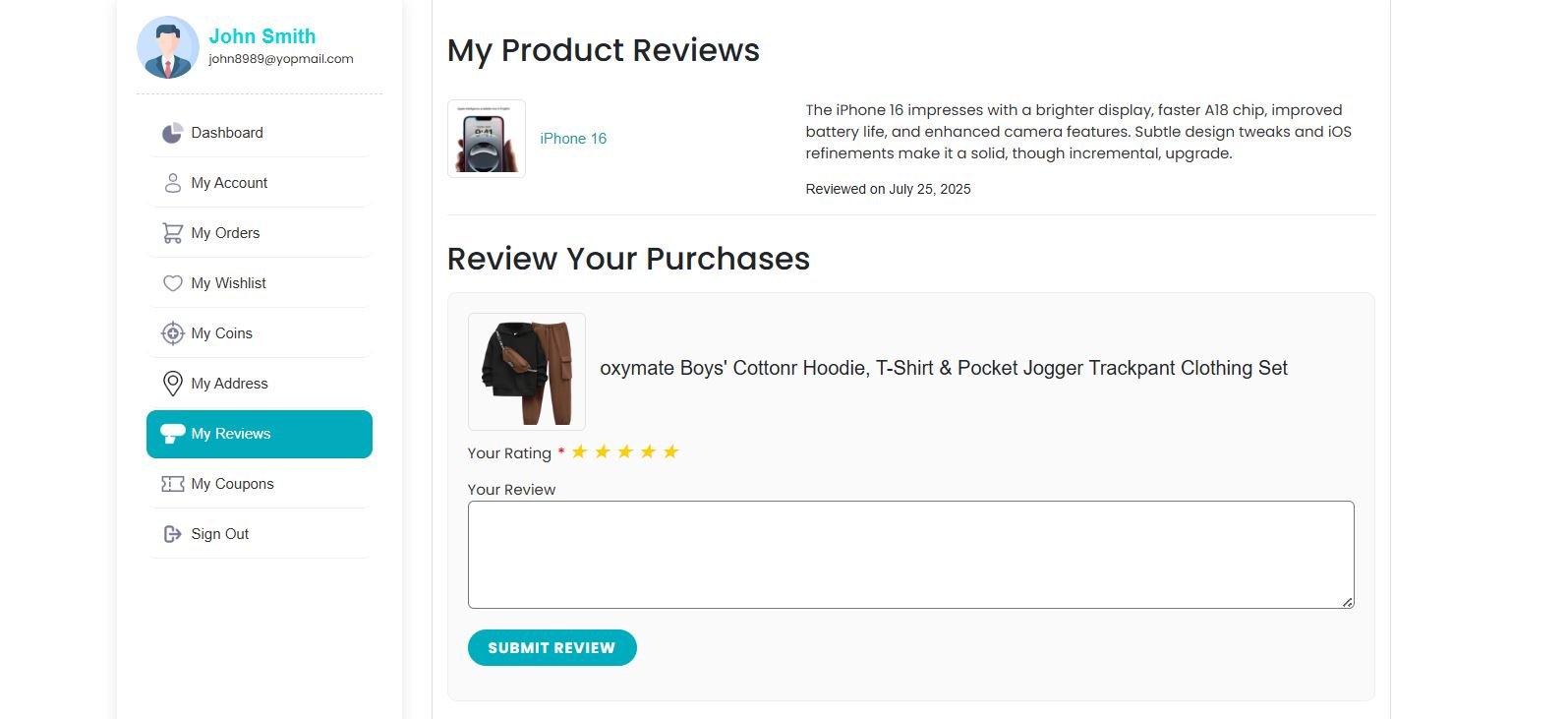
Every registered customer can log in to view and edit their profile details like name, email, phone number, and address. This personalized management helps improve convenience and order accuracy.
URL: https://allgood.previewonline.website/my-account/?tab=account
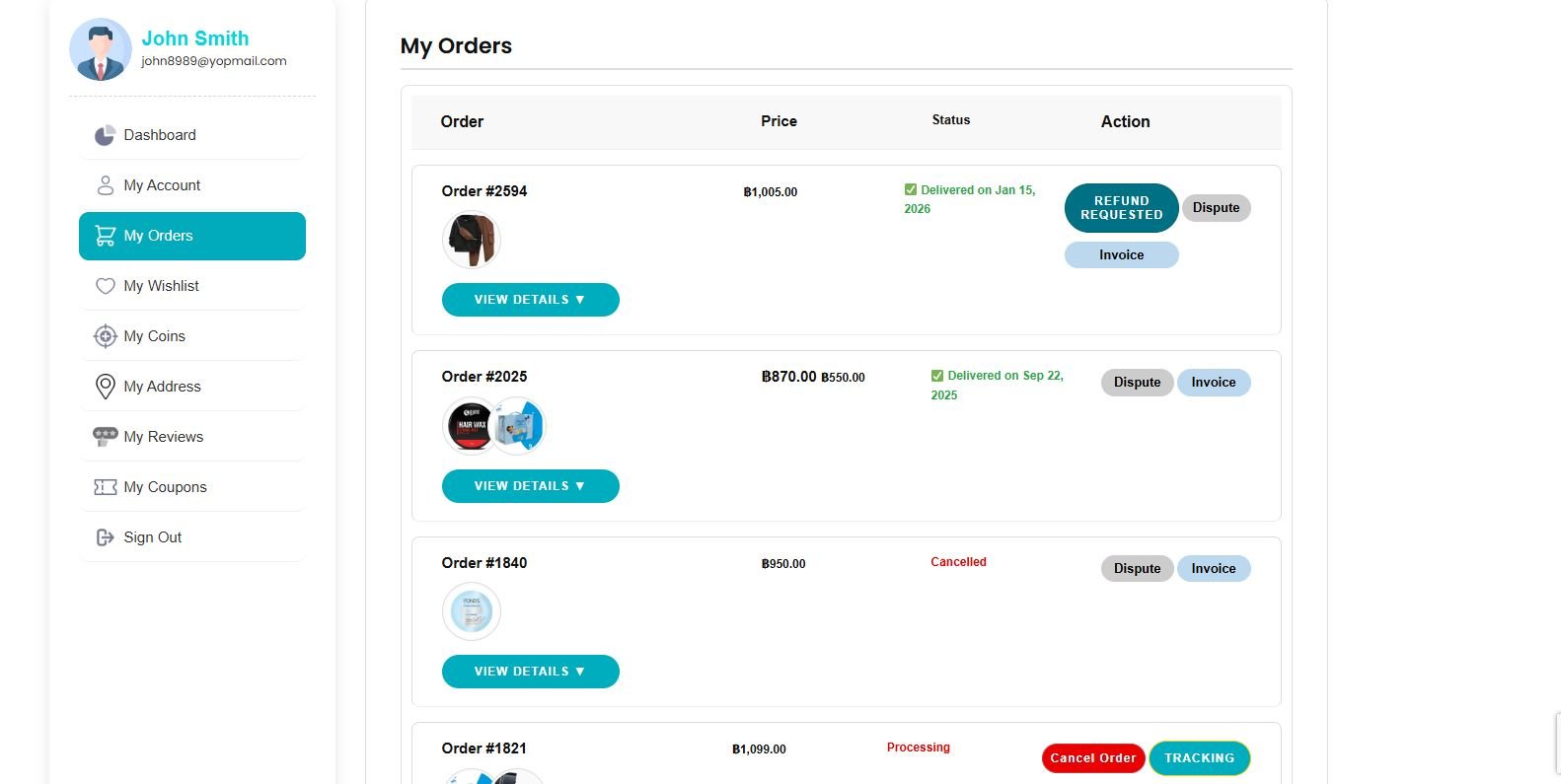
A core element of the portal is order monitoring. Customers can see:
Order numbers, Order dates, Payment status, Shipping updates, Delivery status
This real-time visibility builds trust and reduces inquiries to support teams.
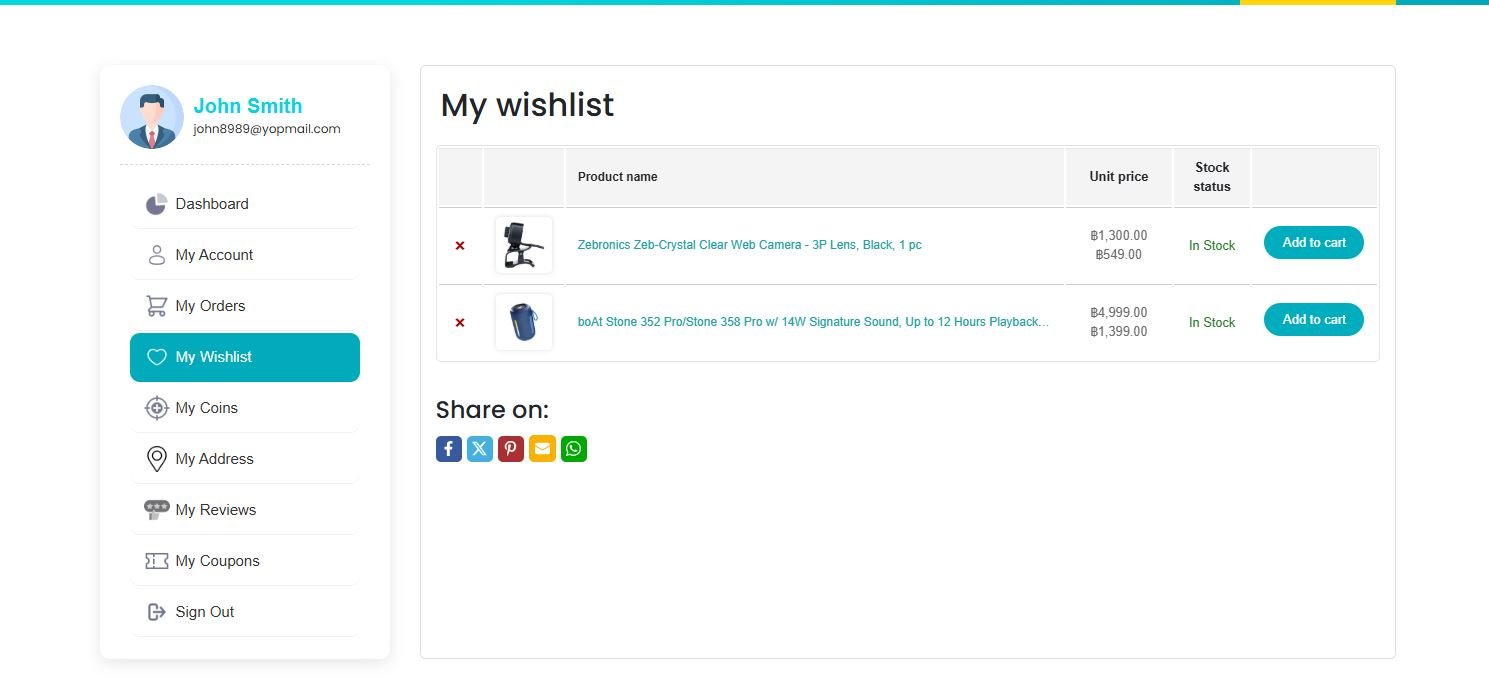
Customers can save products they love for later purchases. This not only enhances user experience but also encourages repeat visits and sales.


















 Seller Login
 About Us
 Blog
Blog Contact Us
 Faq
Faq My account
 ALLGOOD MALL
 Track My Order