











Category & Brand Management System
Category & Brand Management System
organizing products and showcasing them effectively to shoppers is key to user experience and sales performance. Behind the scenes, this organization is powered by a Category & Brand Management System within the admin portal — a backend tool that helps administrators structure and control how products appear on the website.
Organize Products into Logical Categories
-
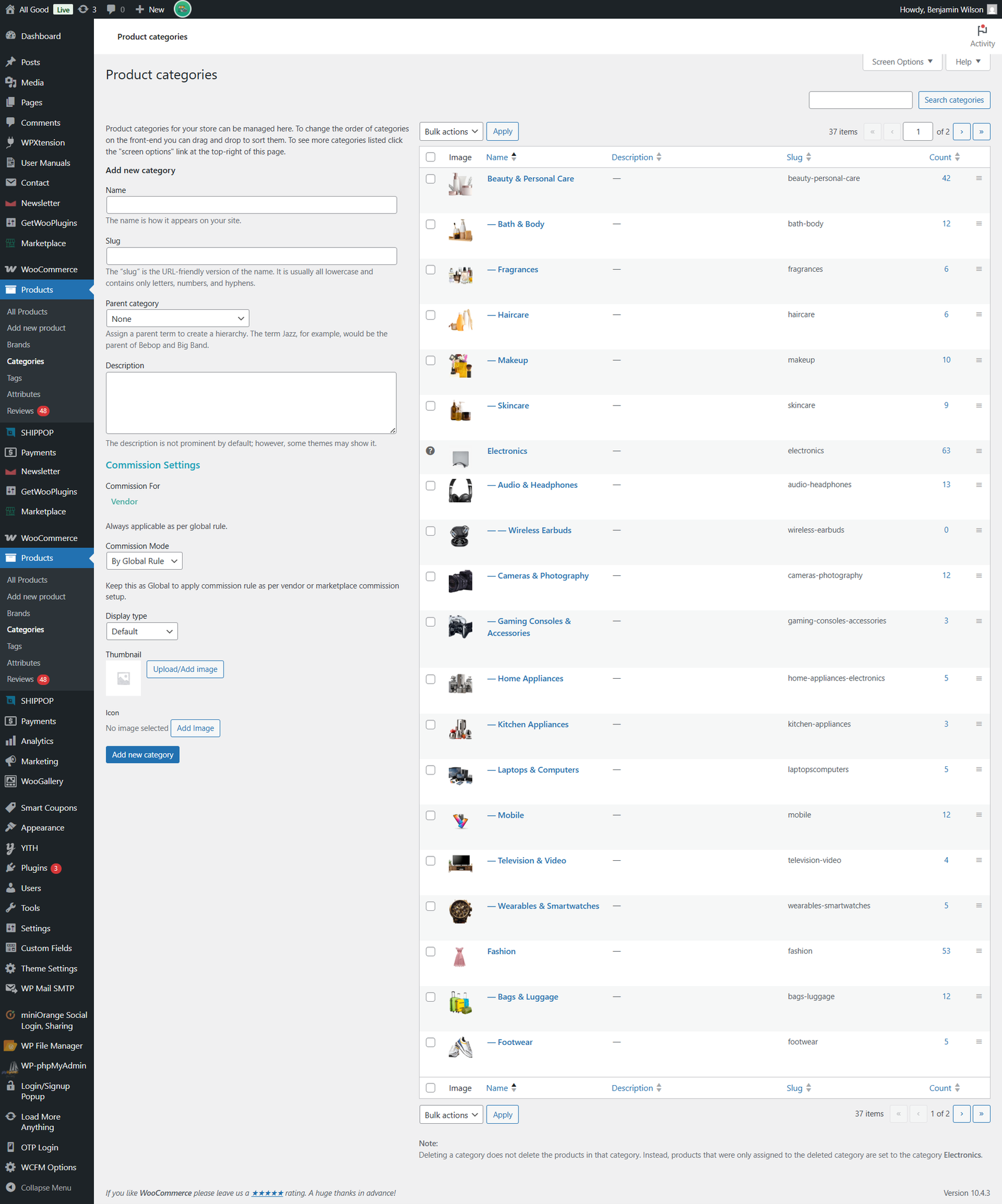
Group products into broad categories (e.g., Electronics, Beauty & Personal Care, Home & Furniture) to make browsing easy for users.
-
Create and manage subcategories under each group (e.g., Wireless Earbuds under Electronics) for refined navigation.
-
Control which categories are active or inactive, making it easy to enable seasonal offerings (like Holiday Deals) or temporarily hide sections.
Manage Brand Listings
-
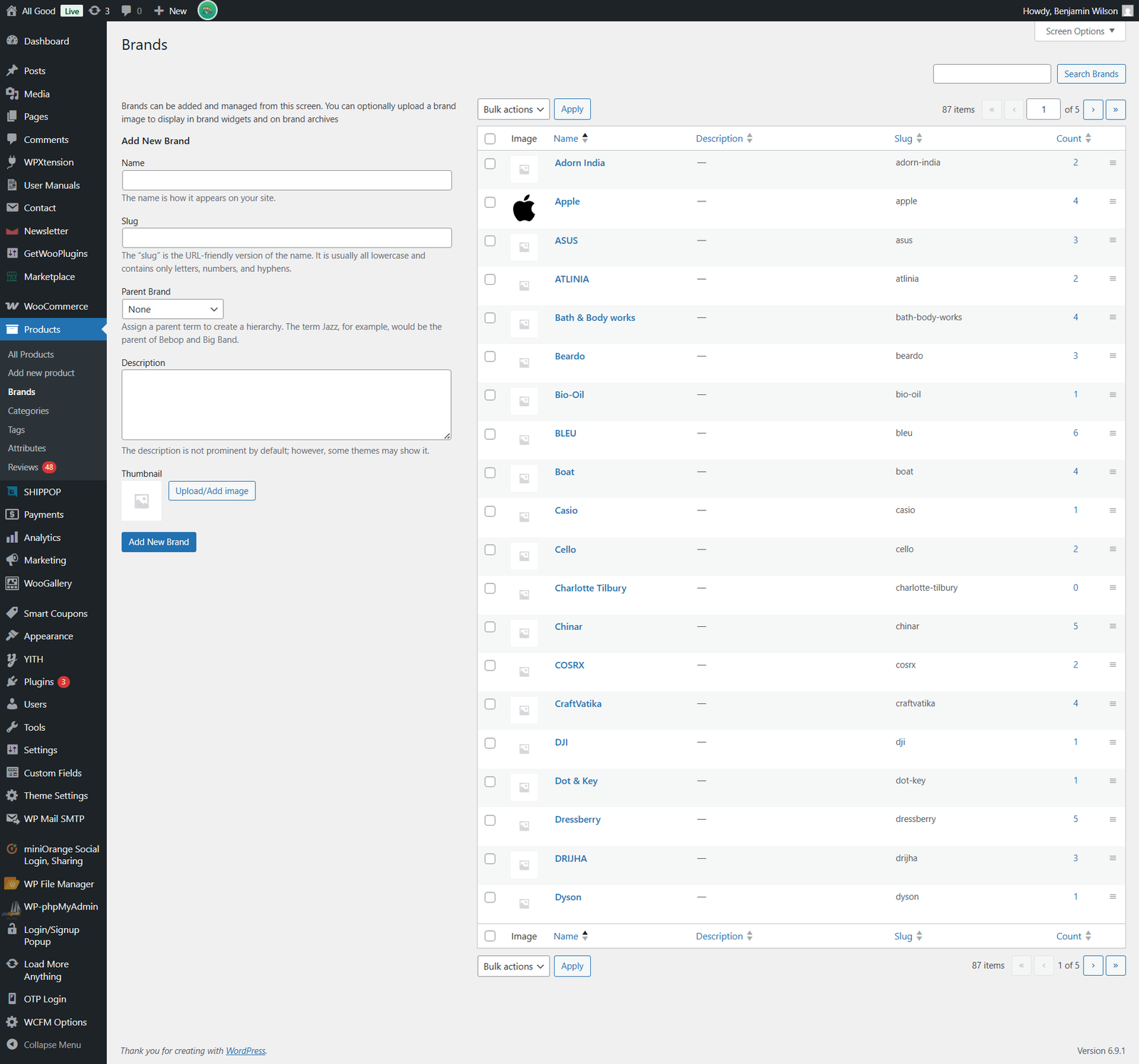
Add and edit brands associated with products, including brand names and brand logos.
-
Link products to their respective brands so shoppers can browse by brand filters.
-
Make brands active or inactive as necessary (for example, if a brand is temporarily unavailable).
Typical Features in Category & Brand Management Tools
While the exact admin interface for All Good isn’t publicly accessible, most e-commerce admin systems include tools like:
-
Add/Edit/Delete Categories: Create parent and subcategories, assign images and descriptions.
-
Add/Edit/Delete Brands: Manage all brands in the catalog and connect them with products.
-
SEO Controls (Optional): Add meta titles, descriptions, and SEO-friendly URLs for categories and brand pages.
-
Status Toggles: Activate or deactivate categories and brands as business needs change.
-
Bulk Operations: Update multiple items at once, saving time for administrators.
Manage Categories
URL: https://allgood.previewonline.website/wp-admin/edit-tags.php?taxonomy=product_cat&post_type=product
Manage Brands


 Seller Login
 About Us
 Blog
Blog Contact Us
 Faq
Faq My account
 ALLGOOD MALL
 Track My Order